What your tenants see in the portal
Show tenants where to see their unit, report a problem, read your announcements and check their lease.
In this article
Getting started
Tenants sign in on the same login page as your team. They see the tenant portal: the pages for their own unit and their own requests, and nothing of your other tenants. What they report there reaches you in Property › Operations.
Before you start
- The tenant finished onboarding, so they have a login.
- The tenant signs in with the email address on their record.
Steps
After signing in, the tenant lands on the Dashboard. Your Unit 1 shows the building, the address, the unit, the lease period and the days remaining. The tiles below it show the Outstanding Balance 2, the next payment due, the open maintenance requests and the upcoming bookings. Submit Maintenance Request 3 opens the request form, and the latest announcements are listed further down.
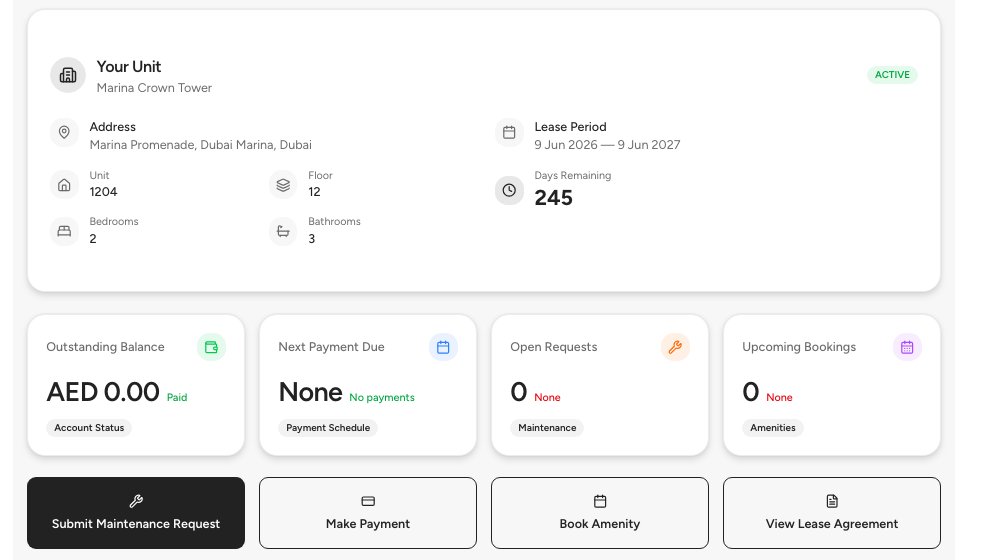
- Your unit
- Outstanding balance
- Submit maintenance request
To report a problem, the tenant fills in the request form. They choose the Category 1 (plumbing, electrical, HVAC, appliance, carpentry, pest control, cleaning or other), check the Priority, write a short Title 2 and a Description 3 of at least 20 characters, add up to five photos and choose when you may enter the unit. The request appears in Property › Operations › Maintenance requests, where you turn it into a work order.
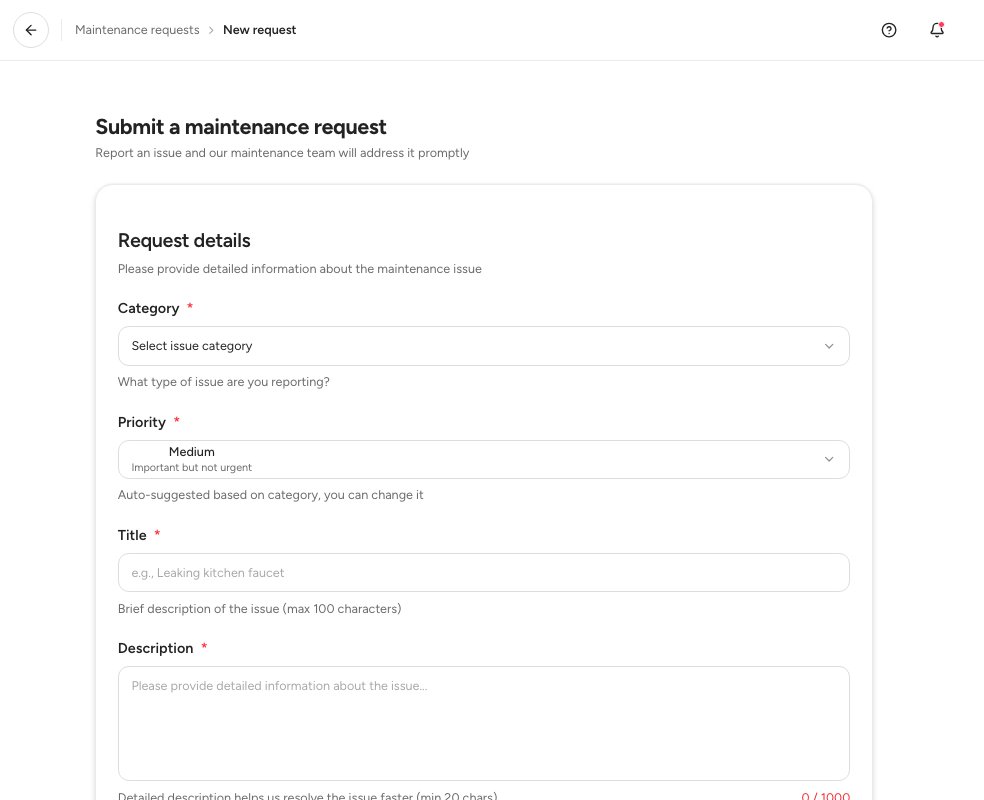
- Category
- Title
- Description
The Announcements page lists what you sent to the building, newest first 1. Click one to read it, and Refresh 2 to load new ones. Tenants see only announcements that were sent to them.
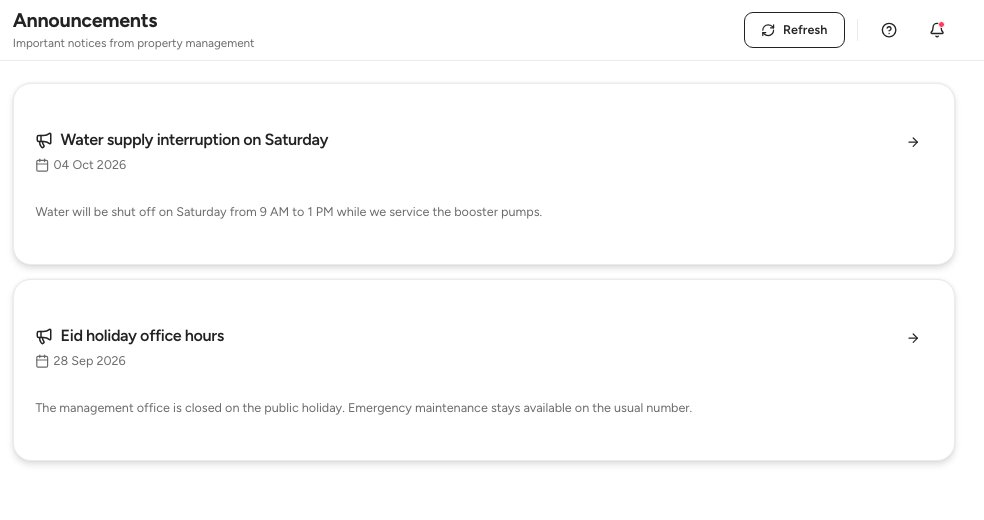
- An announcement
- Refresh
The Profile shows the tenant their own record. Lease 1 has the unit, the lease type, the dates and the rent breakdown, and Documents 2 the files on their record. The details are read-only: the tenant asks property management 3 to change them.
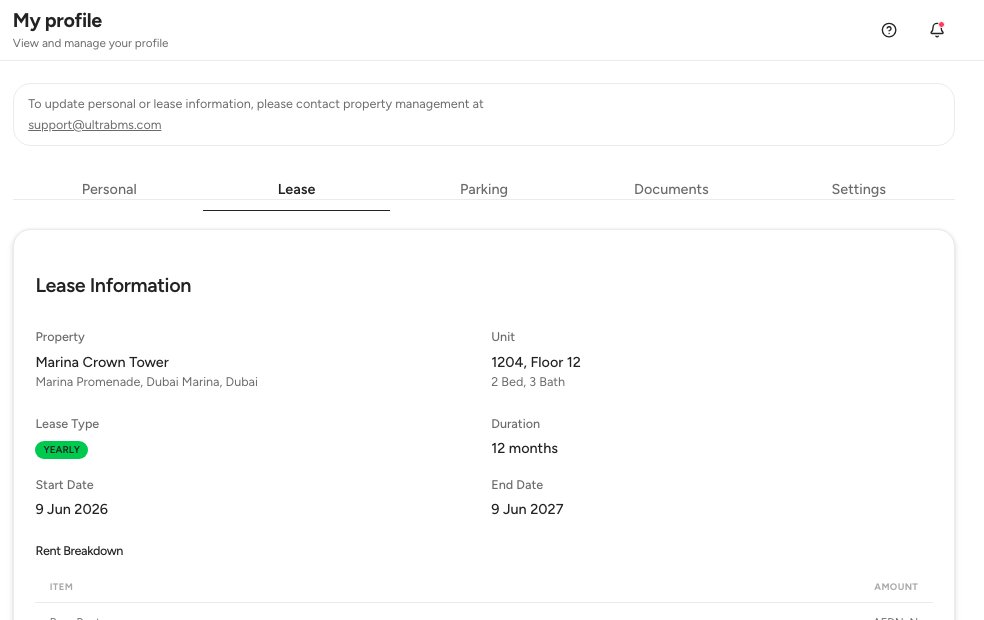
- The Lease tab
- The Documents tab
- How to reach property management
Tip — The portal also has pages for Complaints and for a renewal request on the lease. Complaints land in Property › Operations › Complaints, and renewal requests in the Renewal due tab of Contracts.
FAQ
Can a tenant change their details?
No. The profile is read-only. Update the record in Ultra BMS, or ask the tenant to contact property management.
Does the tenant see rent invoices?
The dashboard shows the outstanding balance and the next payment due. The invoices themselves stay with your team in Finance › Rent invoices.
Who sees a maintenance request first?
Your team, in Maintenance requests. You turn a request into a work order from there.
Related guides
Was this helpful?