Ask Amna
Amna is the assistant inside the app. Ask how to do something, and turn a chat into a support ticket when you need a person.
In this article
Start a chat
Click the round Amna button 1 at the bottom right of any screen.
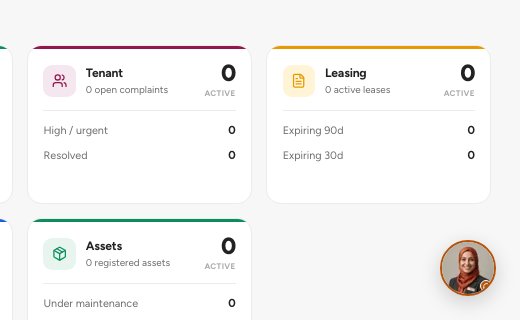
- Open chat with Amna
Read Amna's greeting 1. If suggestions for the screen you are on appear under it, click one. Or type your question in the message box 3 and press Enter.
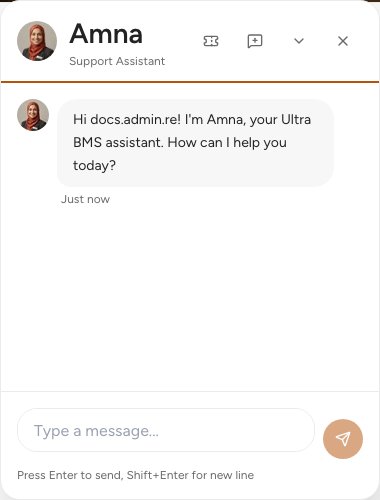
- Amna's greeting
- Create support ticket
- Message box
Read the answer. Ask a follow-up in the same chat.
Need a person? Click Create support ticket 2 in the chat header.
The chat header
Tip — Amna answers from the help documents and suggests questions that fit the screen you are on. Say what you are trying to do and which screen you are on.
Important — Amna explains and guides. It does not change your records. Check an answer that involves money or tax with your accountant.
FAQ
Amna cannot answer my question.
Click Create support ticket in the chat header. Our team replies in Support tickets.
Is Amna a person?
No. Amna is an automated assistant. For a person, raise a support ticket.
Related guides
Was this helpful?