Triage and resolve tenant complaints
Log a complaint, decide what to do about it and close it with a note.
In this article
Getting started
Tenants file complaints from the tenant portal, or you log them on a tenant’s behalf when they call or walk in. Every complaint has a category, an urgency and a target date to close it. Open Property › Operations › Complaints.
Before you start
- Your role is Admin or Property Manager.
Steps
Open Complaints. The tabs count the complaints by status. New 2 are waiting for a decision. Filter by urgency or category, and use Triage or List to change the layout. Each row shows the tenant and unit, the urgency, the status and when it is due. Click one 3 to open it. To record a complaint a tenant gave you in person or by phone, click Log on tenant’s behalf 1.
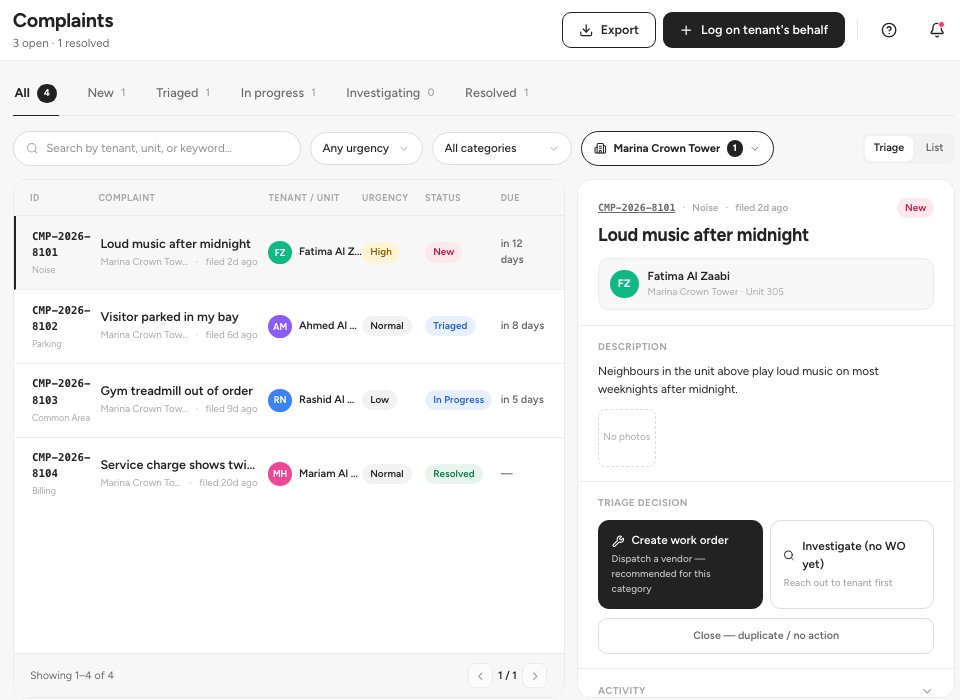
- Log on tenant’s behalf
- New complaints
- A complaint
Decide what to do with a new complaint. Under Triage decision, Create work order 1 dispatches a vendor, Investigate first 2 is for when you need to reach the tenant before dispatching, and Mark resolved & close ends it. Reassign 3 changes who manages the complaint. A complaint is never assigned to a vendor directly: a vendor is dispatched through its work order, and each complaint has one work order.
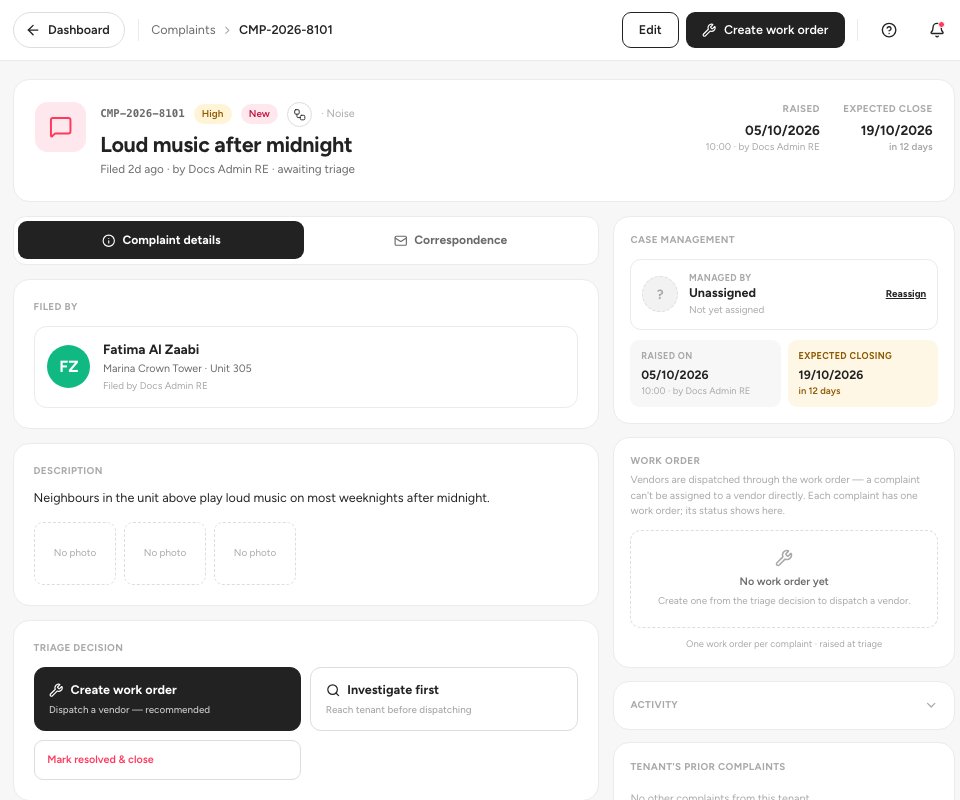
- Create work order
- Investigate first
- Reassign
Log a complaint on a tenant’s behalf. Say how it reached you (Phone 1, Walk-in, WhatsApp or Email), choose the tenant 2, give a Title, Category, Urgency and Description, and paste the original message so it becomes the first entry in the complaint’s Correspondence. The closing date is suggested from the urgency. Click Submit only, or Submit & create work order 3.
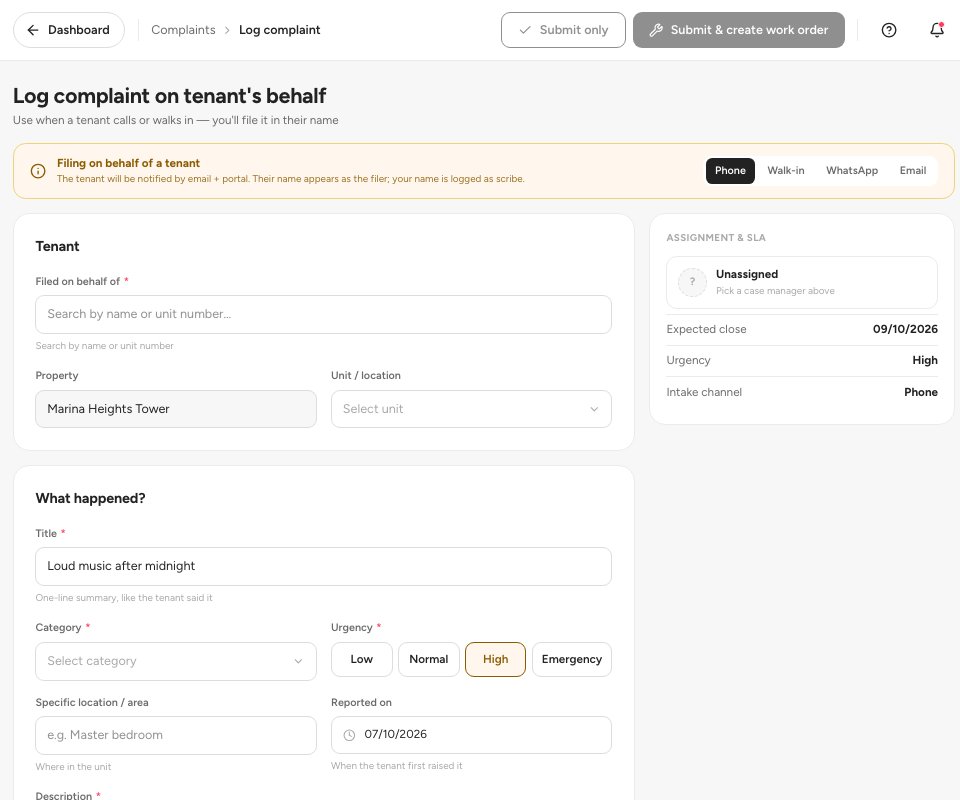
- Phone
- The tenant
- Submit and create work order
Tip — Open Correspondence on a complaint to reply to the tenant and keep every message with the case. The tenant is notified by email and in the portal.
Statuses
FAQ
Which categories are there?
Noise, Parking, Neighbor dispute, Common area, Security, Billing, Pest control and Other. A repair is not a complaint: log it as a maintenance request instead.
Can I turn a complaint into a repair?
Yes. Click Create work order on the complaint. The work order is linked to it and its status shows on the complaint.
Where does the tenant file a complaint?
In the tenant portal under Complaints. See the tenant portal guide.
Related guides
Was this helpful?