Schedule preventive maintenance
Set up a service that repeats every month, quarter or year, and let Ultra BMS create the work orders for you.
In this article
Getting started
A PM schedule is a routine job: servicing the chiller plant every quarter, checking the lifts every month, treating for pests twice a year. On the day a job is due, Ultra BMS creates a work order from the schedule, with the category, priority and assignee you chose. Open Property › Operations › PM schedules.
Before you start
- Your role is Admin, Property Manager or Maintenance Supervisor.
- The equipment is registered in Asset management › Assets, if you want to link it.
Steps
Open PM schedules. The tiles count the active schedules, the ones due this week and the PM work orders generated this month. Switch between List, Calendar 2 and By asset. Each row shows the frequency, the next due date, the last run and the assignee 3. Click New PM schedule 1 to add one.
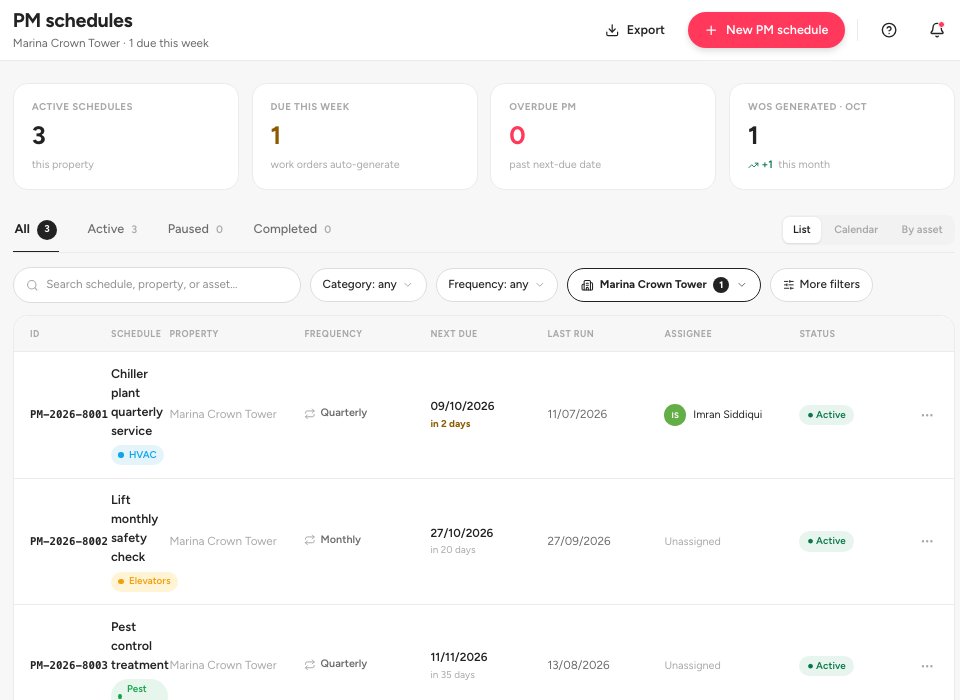
- New PM schedule
- The Calendar view
- A schedule
Fill in the form. Give the schedule a Schedule name 1, a Category 2 and a Description of at least 20 characters. Choose the Frequency (Monthly, Quarterly, Semi-annually or Annually) and the Start date: the first work order is generated on that date. Set a Default priority, and optionally a Default assignee (a vendor or a staff member) and the Asset the schedule services. The preview on the right updates as you type. Click Create schedule 3, or Save as draft.
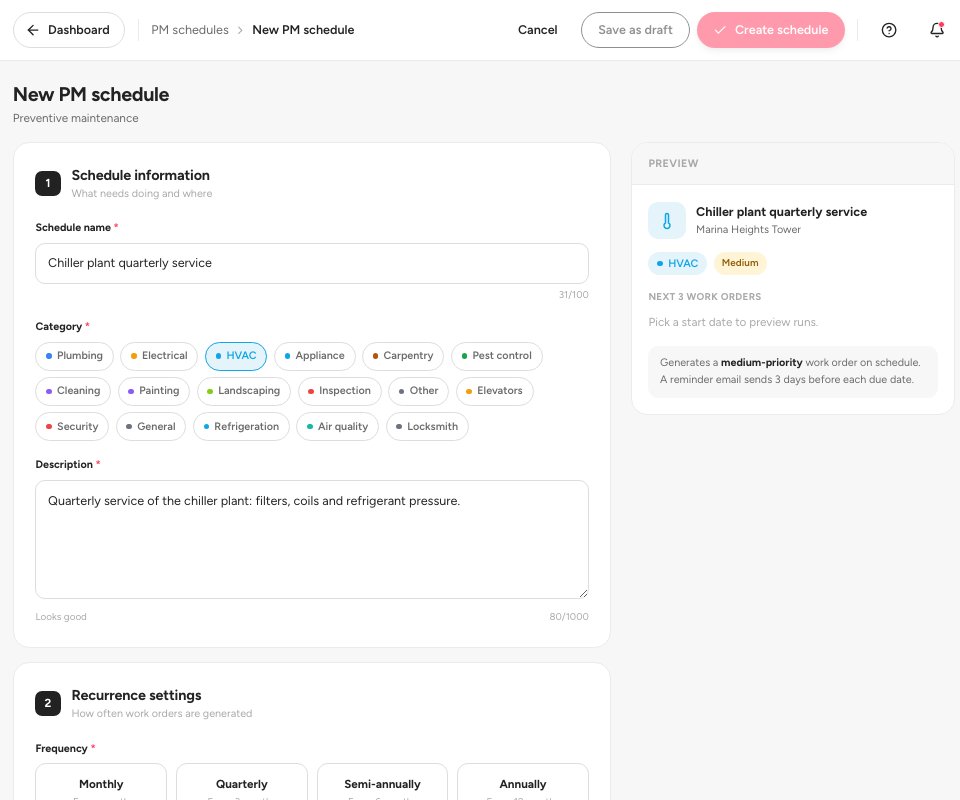
- Schedule name
- Category
- Create schedule
Open a schedule to see its next due date, the generation timeline and every work order it has created. Generate now 1 creates the next work order straight away. Pause 2 stops new ones until you resume. The Reminders & automation panel 3 shows who is reminded and when.
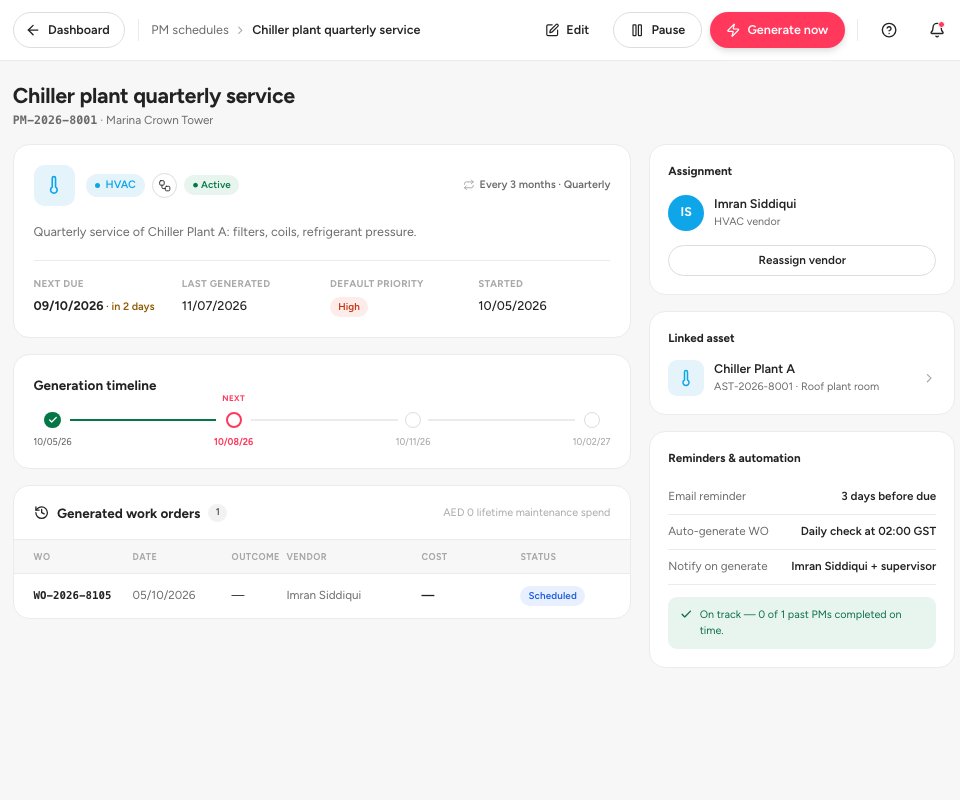
- Generate now
- Pause
- Reminders and automation
Tip — Ultra BMS checks for due schedules once a day and emails a reminder three days before a job is due. Work orders from a schedule appear in Work orders with the Scheduled status.
Statuses
FAQ
Can I link a schedule to a piece of equipment?
Yes. Choose it under Asset (optional). The schedule then shows on the asset page, and the work orders it creates count in the asset’s maintenance history.
What if I need a job done before the next due date?
Click Generate now on the schedule.
Can the schedule stop by itself?
Yes. Set an End date. Without one it runs until you pause it.
Related guides
Was this helpful?