Check a tenant out
Record why and when a tenant is leaving, and send them the move-out packet.
In this article
Getting started
A check-out is the move-out file of one lease: the reason, the notice, the final dates, the inspection and, at the end, the deposit settlement. Open Property › Leasing › Contracts and click Check-outs.
Before you start
- Your role is Admin or Property Manager.
- The tenant has an active lease.
Steps
The Check-outs page counts the files that are Pending, In progress and Completed, and the refunds still to pay. Filter the list by status 1 or dates, and click a file 2 to continue it.
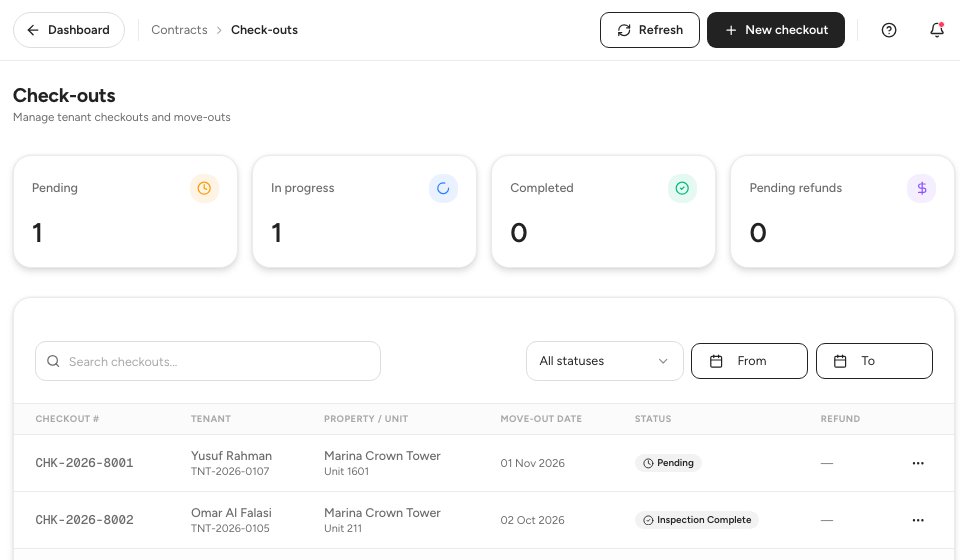
- Status filter
- A check-out
Step 1, Reason & notice. Choose why the tenant is leaving: Lease End, Early Termination 1, Eviction, Mutual Agreement or Other. Add Notes 2 for the file, which admins and the owner can read. Then enter the Notice date and the target move-out date. The page tells you when the notice is shorter than the 60 days the lease clause asks for, and you can record a Break fee for the audit trail. The panel on the right checks the rent ledger, the inspection and the delivery channels as you go. Click Continue 3.
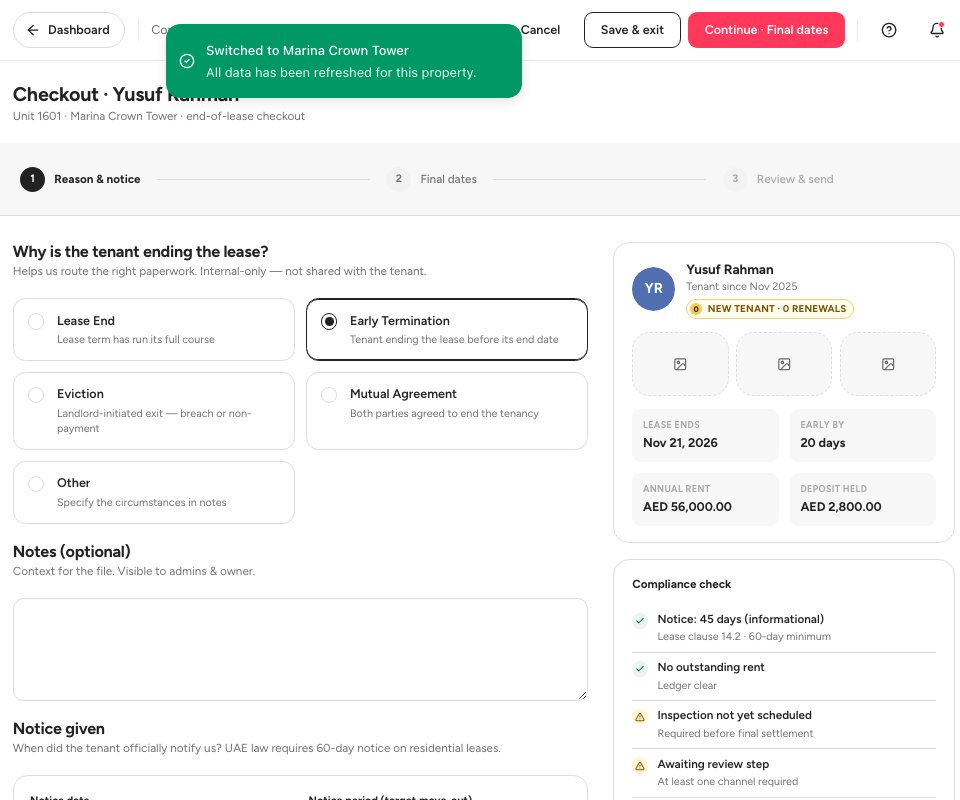
- Early termination
- Notes
- Continue
Step 2, Final dates. Set the Move-out date 1, the Key & access return date and the Joint inspection 2, the walk-through with the tenant. The Lease ends (contract) date is read-only. Timeline preview 3 shows today, the notice, the move-out and the deposit refund deadline.
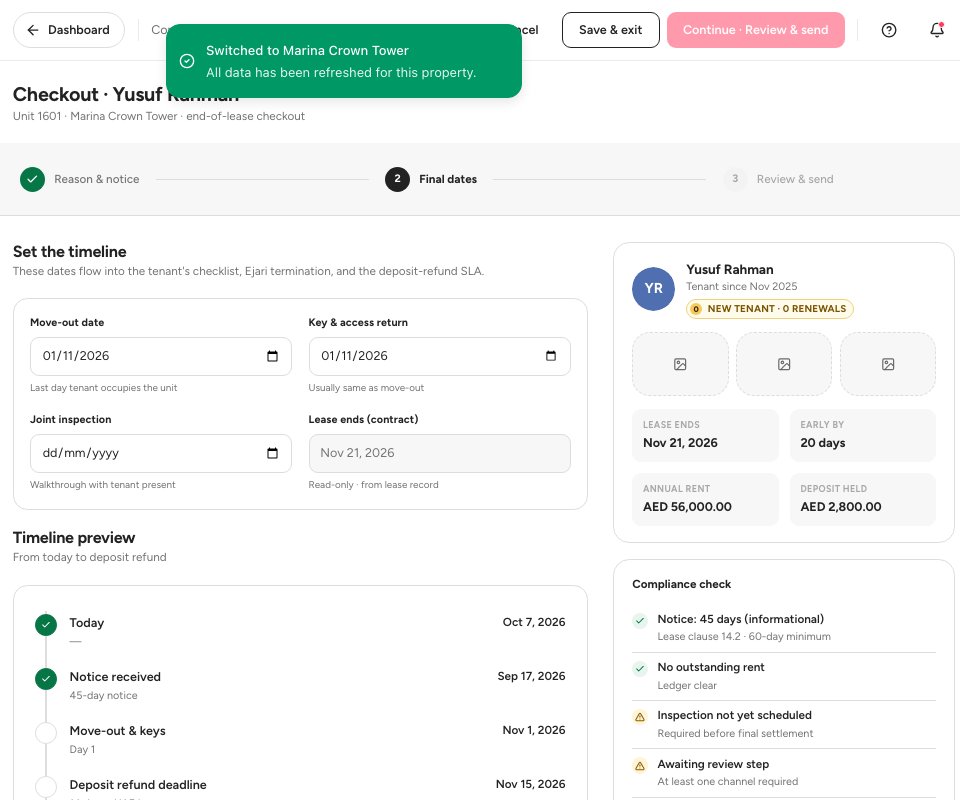
- Move-out date
- Joint inspection
- Timeline preview
Step 3, Review & send. The Lease termination packet 1 shows the reason, the notice and the final dates the tenant will receive. Edit 2 takes you back to a step. Choose how to send it under Send via: email is delivered now, other channels are coming soon. Check the Compliance check 3 on the right before you send.
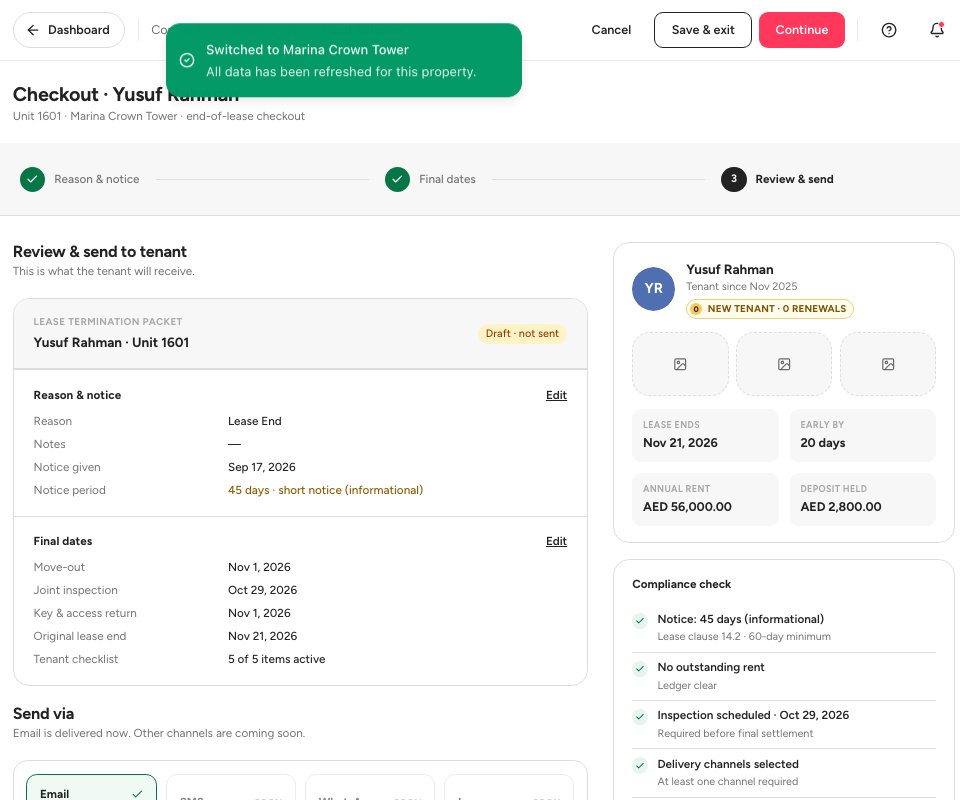
- The termination packet
- Edit
- Compliance check
Important — Settle outstanding rent before you finalise the move-out. The compliance check shows Outstanding rent on ledger with the amount when the tenant still owes money, and a final inspection is required before the final settlement.
Stages of a check-out
FAQ
What happens to the unit?
The page tells you the date it becomes available again once the move-out is finalised, and lists it for new quotes.
Can I save and finish later?
Yes. Click Save & exit. The file stays on the Check-outs page.
Where is the Ejari termination?
The compliance check lists Ejari ready to terminate. It is filed once the inspection clears.
Related guides
Was this helpful?