Bank accounts
Add the company bank accounts you collect into and pay from, and choose which one is primary.
In this article
Before you start
- The bank name, account number and IBAN from your bank statement.
Add a bank account
Open Bank accounts from the Banking menu. In some menus the row is called Bank & cash accounts and sits under Finance. The tabs 1 read All, Active and Inactive.
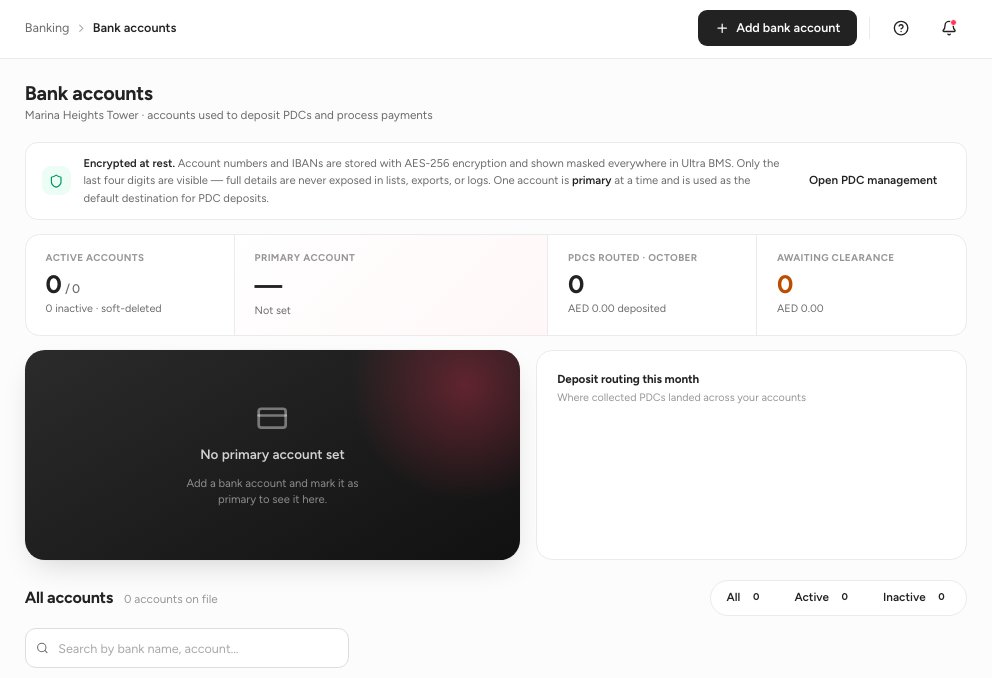
- All, Active and Inactive tabs
- Search by bank name or account
- Add bank account
Click Add bank account 3.
Enter the Bank name 1, the Account holder name, the Account number, the IBAN 2 and the SWIFT / BIC 3. A Purpose / label helps you tell accounts apart. The preview on the right fills in as you type.
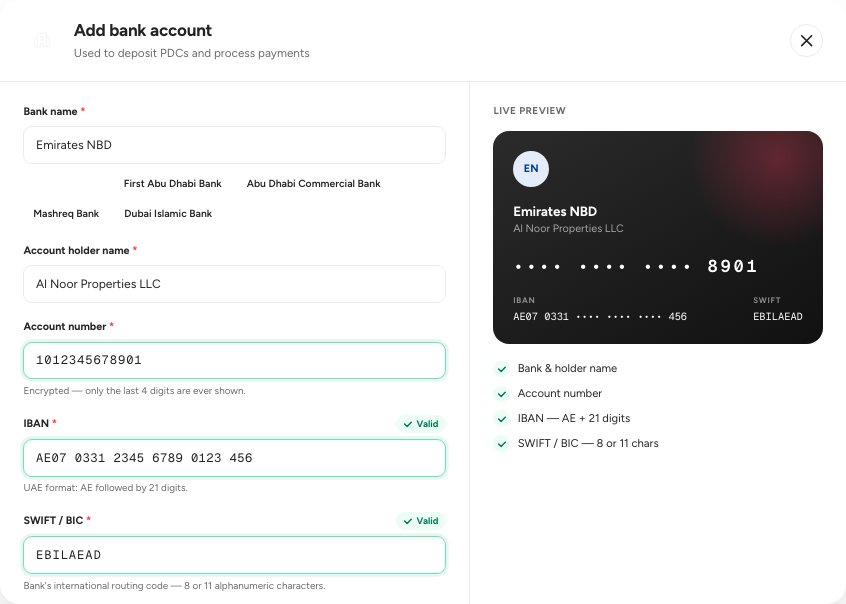
- Bank name
- IBAN
- SWIFT / BIC
Scroll down, turn on Set as primary account for the account you use most, set the Status, and save.
Important — The account number and IBAN are encrypted when you save and never shown in full again.
Where the accounts are used
These are the accounts used to deposit cheques and process payments. When you close an account, set its Status to inactive; its history stays.
FAQ
Can I change the primary account later?
Yes. On another account's card, choose to set it as primary.
Does this connect to my bank?
No. These are the details of your accounts. The app does not log in to your bank.
Related guides
Was this helpful?