Register and track building assets
Keep one register of the lifts, chillers, pumps and other equipment in each building, with their warranties and service dates.
In this article
Getting started
An asset is a piece of equipment you maintain: an HVAC plant, an elevator, a generator, a water pump, a fire system, a security system and so on. Registering it gives every repair, every preventive schedule and every warranty a single home. Open Asset management › Assets.
Before you start
- Your role is Admin or Property Manager (a Maintenance Supervisor can read the register).
Steps
Read the register. The tiles show the number of Registered assets, their Replacement value, how many are Under maintenance, the Warranty alerts and the jobs with a Maintenance due date in the next 30 days 2. Click a tile to filter the table below. The table lists each asset with its category, location, status, warranty and next service 3. Click Register asset 1 to add one.
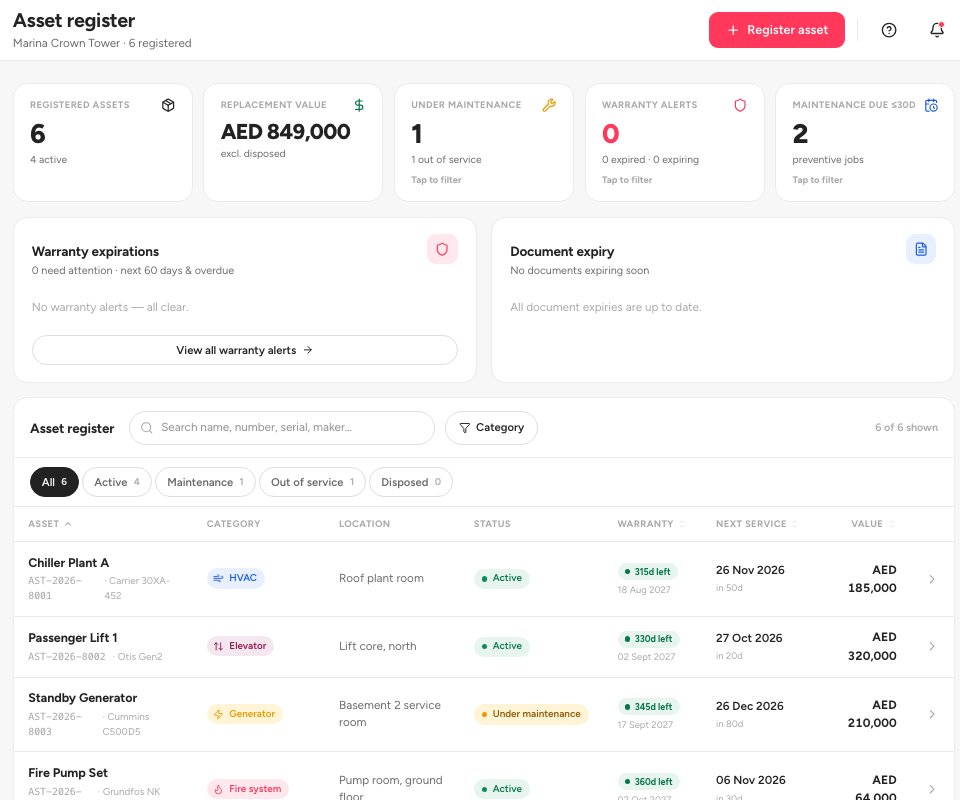
- Register asset
- Maintenance due tile
- An asset in the register
Fill in the Register asset form. Asset name 1, Category 2 and Location within property are required. Everything else is optional: the manufacturer, model and serial number, the installation date and purchase cost, the Warranty expiry date, and a first Next service date with a Service interval (monthly, quarterly, half-yearly, annual or as needed). Click Register asset 3.
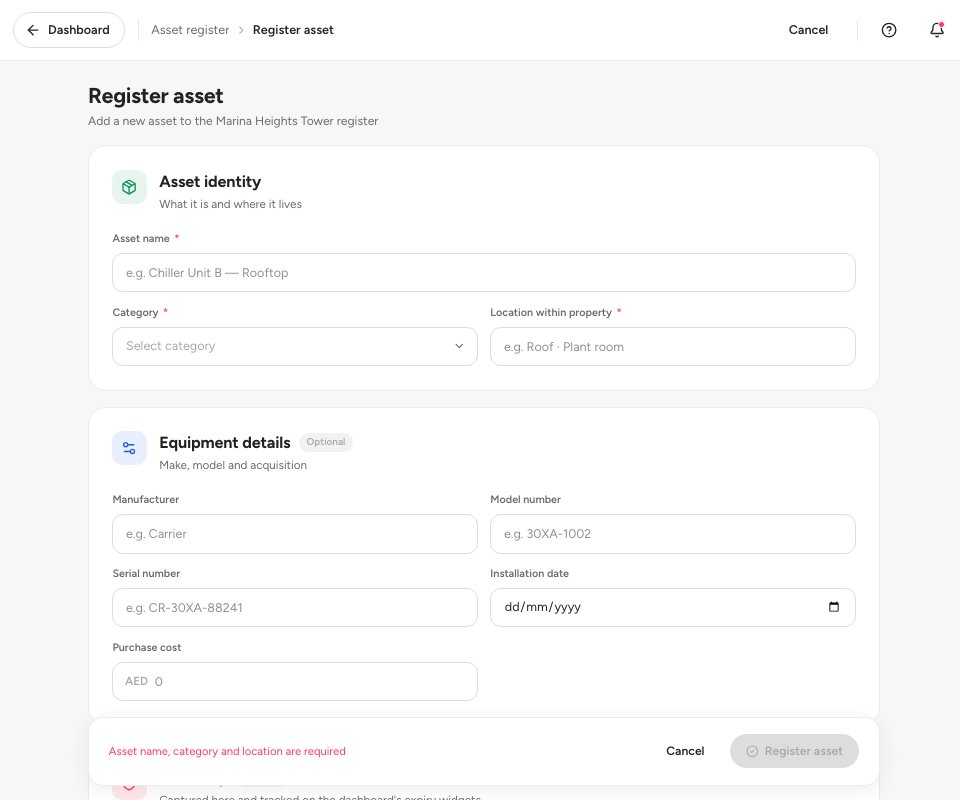
- Asset name
- Category
- Register asset
Open an asset to see its replacement value, age, warranty countdown and next service date. Link work order 1 attaches a repair to the asset, Maintenance history 2 lists every job and its cost, and Update warranty 3 changes the expiry date. You can also upload a manual, a warranty certificate or an invoice under Documents.
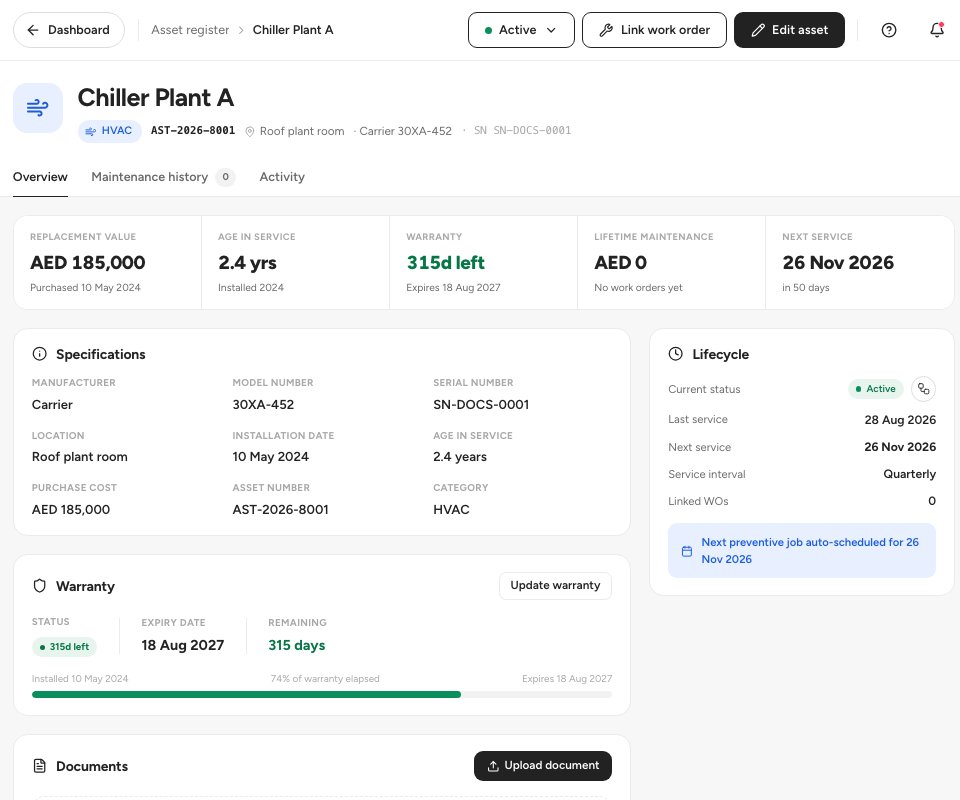
- Link work order
- Maintenance history
- Update warranty
Tip — Set a Service interval when you register the asset. Ultra BMS then shows the next preventive job on the asset and in the Maintenance due tile, and you can turn the routine into a schedule in PM schedules.
Statuses
FAQ
What counts as a warranty alert?
An asset whose warranty has expired or will expire within 60 days. The tile on the register lists them.
Can I link a repair to an asset?
Yes. When you create a work order, choose the equipment under Linked assets, or open the asset and click Link work order.
Where do I see what an asset has cost me?
On the asset page, Lifetime maintenance adds up the cost of the work orders linked to it.
Related guides
Was this helpful?