Support tickets
Tell our team about a problem or a request, follow the replies, and see what is still open.
HelpUpdated 07/10/2026 · 1 min read
In this article
Raise a ticket
Open Admin › Support tickets 1. The cards count your Open, In progress, Resolved and Critical tickets.
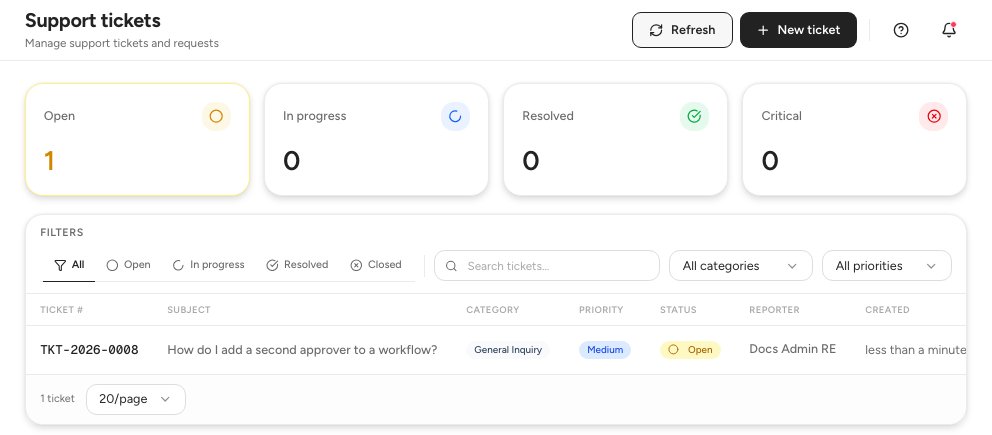
- Your tickets by status
- Search and filters
- New ticket
Click New ticket 3.
In Create Support Ticket, choose a Category 1 and a Priority 2, write the Subject 3, and add a Description if it helps.
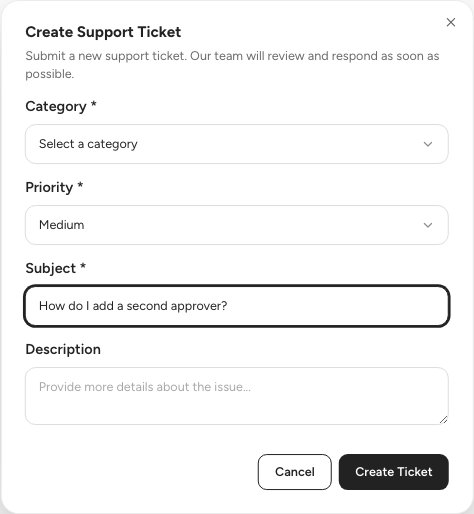
- Category
- Priority
- Subject
Click Create Ticket. Our team reviews it and replies.
Follow a ticket
Click a row in the list to open the ticket. Its Conversation 1 holds the messages.
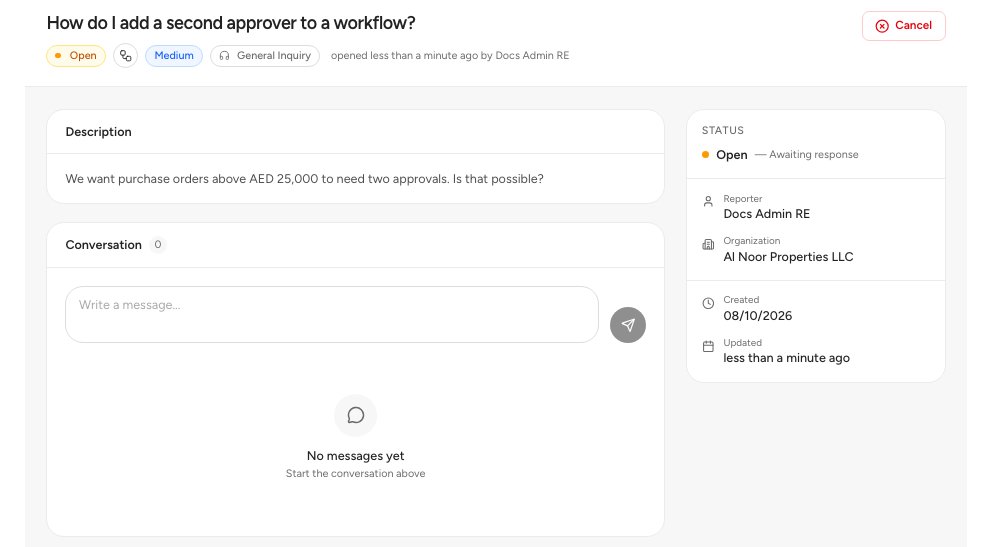
- Conversation
- Status of the ticket
Write a message in the box under Conversation to reply. Our team changes the status 2 as the work moves on.
Status: Open
Meaning: We have it and have not started.
Status: In progress
Meaning: Someone on our team is working on it.
Status: Resolved
Meaning: We think it is fixed. Reply if it is not.
Status: Closed
Meaning: Finished.
Priority: Low
Use it for: A question or a small wish.
Priority: Medium
Use it for: Something is wrong, but you can work around it.
Priority: High
Use it for: Work is slowed down.
Priority: Critical
Use it for: Your team cannot work.
Category: Bug Report
Pick it when: Something does not work as described.
Category: Feature Request
Pick it when: You would like something new.
Category: Complaint
Pick it when: You are not happy with a service.
Category: Incident
Pick it when: Something stopped working suddenly.
Category: General Inquiry
Pick it when: You have a question.
FAQ
Can I raise a ticket from the chat?
Yes. Click Create support ticket in the Amna chat header.
Where do I see only critical tickets?
Use the Priority filter above the table and choose Critical.
Related guides
Was this helpful?