Manage parking spots
Keep a register of every parking spot in a building, see which are free on a floor plan and which tenant holds each of the others.
In this article
Getting started
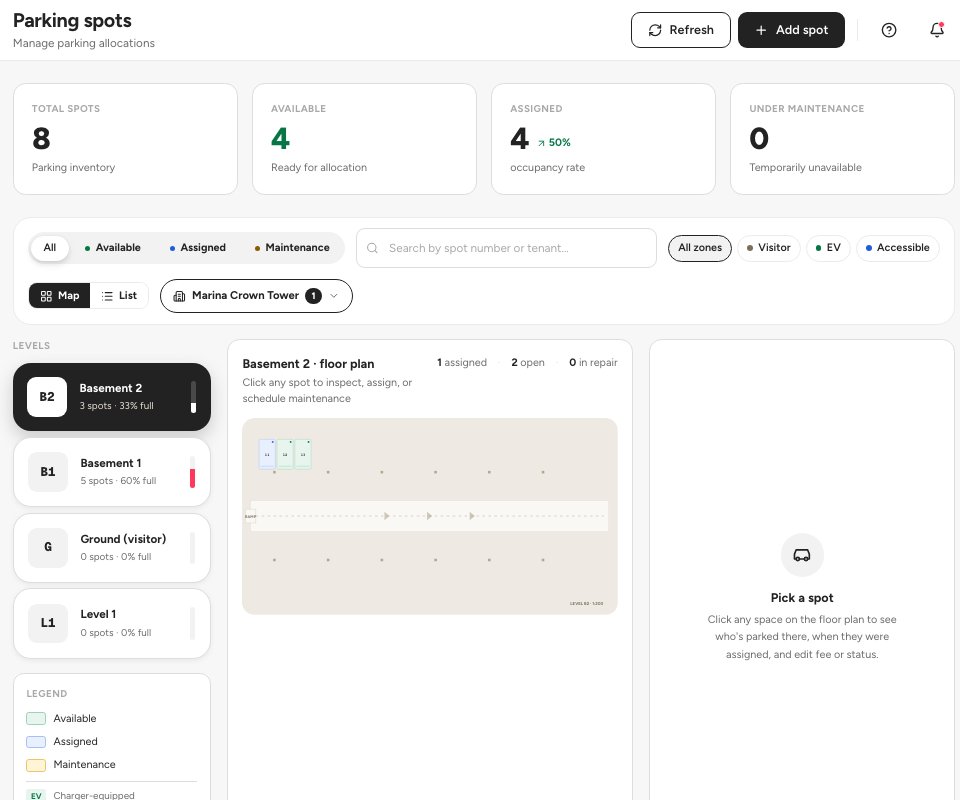
Open Property › Portfolio › Parking spots. The page shows the spots of the building you are working in: how many there are, how many are free, assigned or out of service, and one floor plan for each level.
Before you start
- The building and its levels are set up in Property › Portfolio › Properties.
Steps
Read the overview. The four tiles at the top count Total spots, Available, Assigned and Under maintenance. Below them, the status pills 2 (All, Available, Assigned, Maintenance) and the zone chips (Visitor, EV, Accessible) narrow the floor plan. Pick a level in the list on the left to see its plan 3. To register a new spot, click Add spot 1 and enter the spot number, level, tag and the default annual fee.
- Add spot
- Status filters
- The floor plan of a level
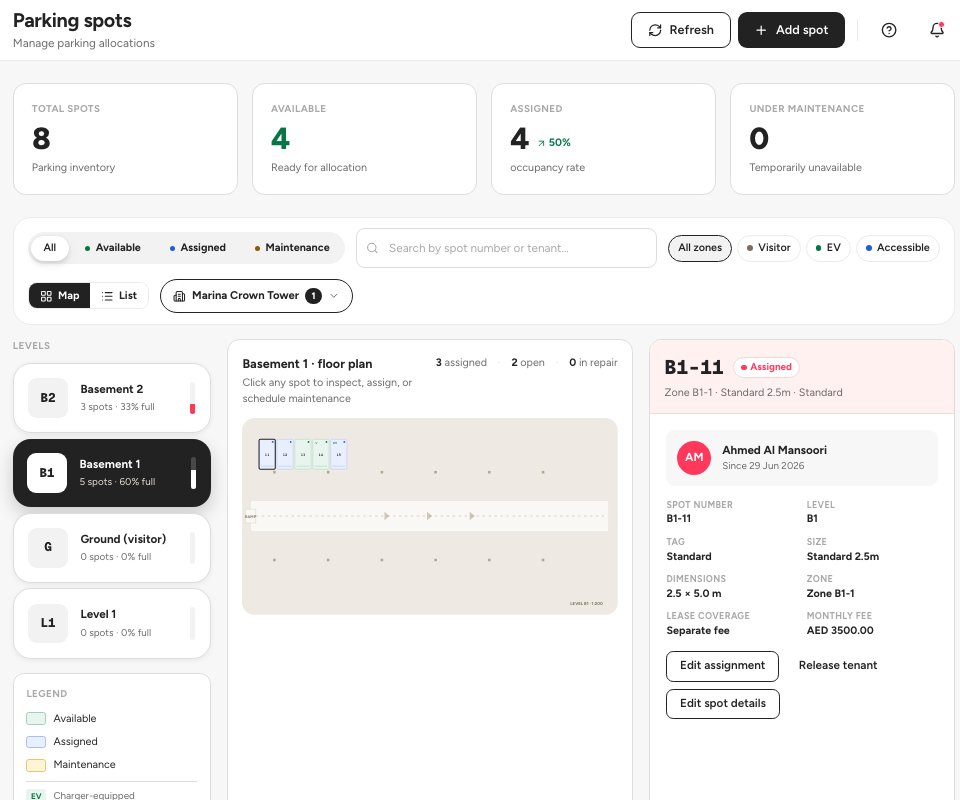
Click a spot on the floor plan 1 to open its drawer. For an assigned spot the drawer shows the tenant 2, the date it was assigned, its level, tag and size, and whether the fee is included in the lease or charged separately. Edit assignment 3 changes the assignment, and Release tenant gives the spot back.
- The selected spot
- The tenant it is assigned to
- Edit assignment
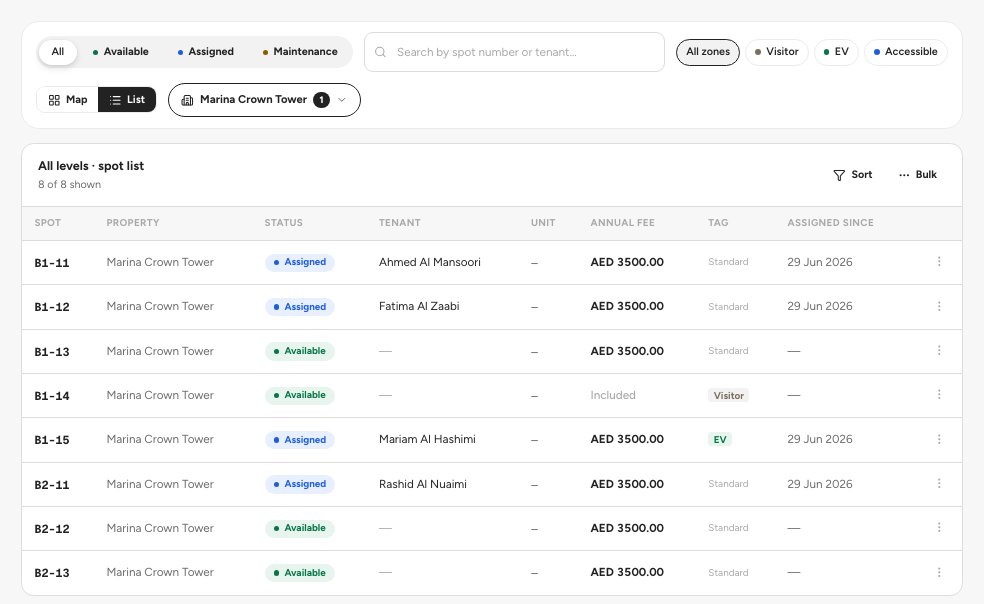
Switch to the list when you want to scan or sort every spot. Click List 1 next to Map. The table shows each spot with its status, tenant, unit, annual fee, tag and the date it was assigned. Use the tag chips such as EV 2 to narrow it, and click a status 3 to open the spot.
- The List view
- The EV tag filter
- A spot status
Tip — Use Edit spot details in a spot’s drawer to change its fee, tag or notes. Mark a spot Under maintenance while it is blocked, so nobody is assigned to it.
Statuses and tags
FAQ
Is the parking fee added to the rent?
Only when the spot is assigned with the fee charged separately. The drawer of an assigned spot shows whether its fee is included in the lease or charged separately.
Where do parking spots show up in a quote?
A quote asks how many parking spots the tenant wants and the parking fee, so the lease can carry them from the start.
Related guides
Was this helpful?