Manage leases and renew them
Find any lease, see what the tenant has paid, and renew it before it ends.
In this article
Getting started
Every lease is a contract in Property › Leasing › Contracts. The page opens on the building you are working in and shows who rents what, for what period, for how much and what they still owe. Renewals are made from the contract itself.
Before you start
- Your role is Admin or Property Manager.
- The lease was created by tenant onboarding.
Steps
Open Contracts. The tabs sort the leases: Active, Renewal due 1 (ending within 60 days), Overdue, Checking out, Expired, Terminated and Archived. Narrow the list with the filters 2 for unit type, rent and lease end, or search by tenant, unit or contract number. Each row shows the lease term, the contract value, the balance and the status. Click a tenant 3 to open the lease.
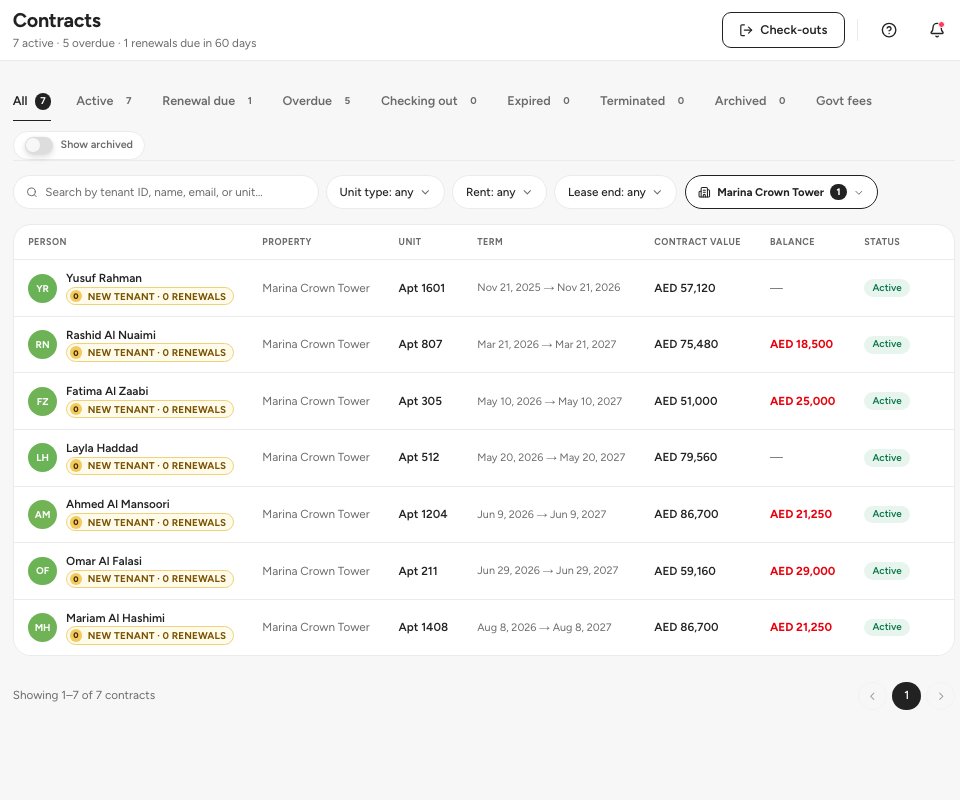
- The Renewal due tab
- Filters
- A lease
On the lease page, the top shows the tenant, the unit, the contract value, the current balance and the last and next payment. Renew 1 starts a renewal. The tabs hold the rest: Lease & documents 2 (the lease dates, the Ejari registration, the utility connection), Government fees, Payments 3, Maintenance, Communications, Notes and Activity. Statement and Message are in the header.
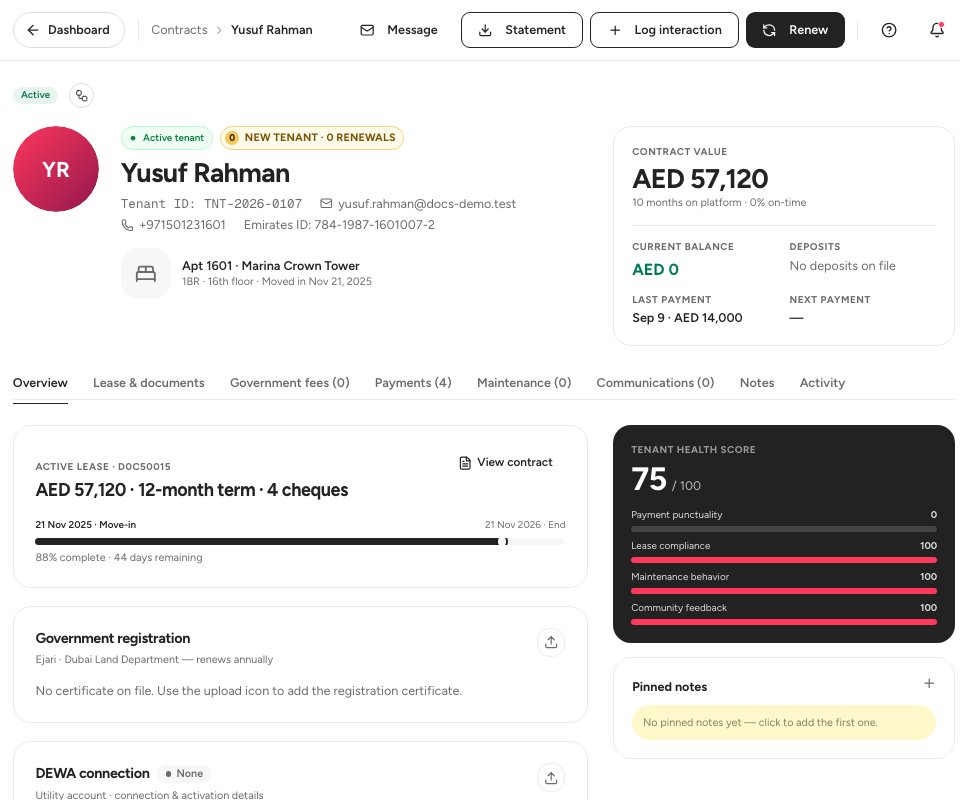
- Renew
- Lease and documents
- Payments
Open the Payments tab 1 to follow the money. Billing & payments 2 shows the contract value, what has been paid, the balance and the contract pricing, and lists the payments of the schedule. Statement 3 gives you the tenant’s statement, and PDC receipt prints the cheque receipt in English and Arabic.
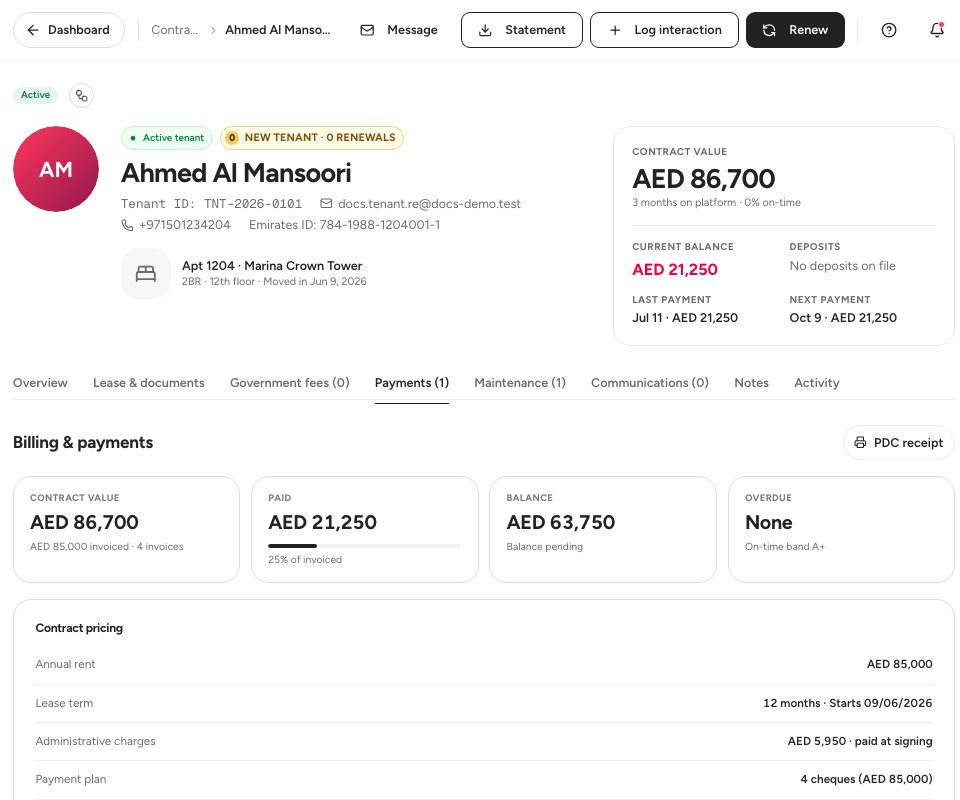
- The Payments tab
- Billing and payments
- Statement
Start the renewal with Renew. The wizard has four stages: Draft proposal, Admin approval, Quotation created and Sent to tenant. Under Propose the new rent 1, hold, raise or discount the rent with the slider or the shortcuts such as +5% 2. The range is -20% to +15%. A discount, or a rise of more than 10%, goes to the owner for sign-off. Click Continue to review 3.
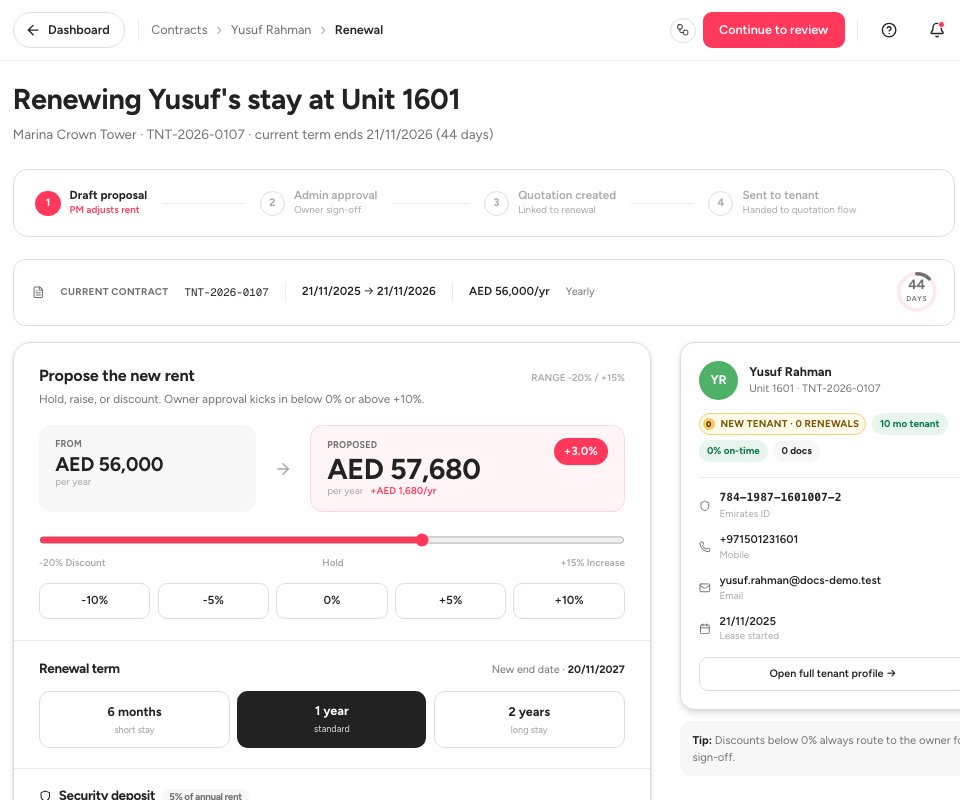
- Propose the new rent
- A +5% rise
- Continue to review
Choose the Renewal term: 6 months, 1 year 1 or 2 years. Under Security deposit, Ultra BMS works out the deposit required for the new rent (5% of the annual rent), what you already hold and what is left to collect, and you choose Carry 2, Top up or Re-collect. Add a Note to owner / admin 3 if the rent change needs an explanation. The Contract history at the bottom lists the earlier terms and the pending renewal.
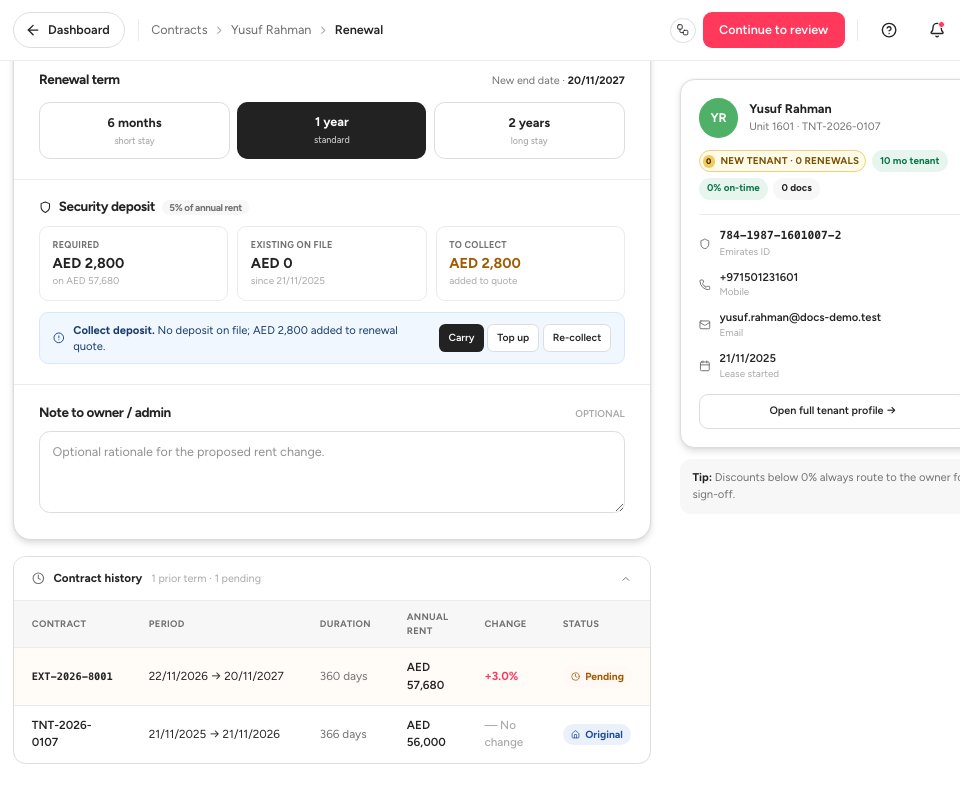
- The renewal term
- Carry the deposit
- Note to the owner
Tip — Open Renewal due at the start of each month. A lease enters it 60 days before it ends, and the renewal page counts the days left.
Lease statuses
FAQ
Can a tenant ask for a renewal?
Yes. In the tenant portal they can send a renewal request with the term they prefer. You see it in your Renewal due list and start the renewal from the lease.
Who approves a renewal?
The proposal is yours. A rent discount, or a rise above 10%, routes to the owner or an admin for approval before the quotation is created.
What happens after the review?
Ultra BMS creates a quotation for the renewal and hands it to the quotation flow, so the tenant gets it the same way a new tenant does.
Related guides
Was this helpful?