Run owner statements and rent reports
Show each owner what their building collected and paid out, and look ahead at next month’s rent.
In this article
Getting started
Reports are in Finance › Reports › Finance reports. The page opens on the latest rent collection statement and lists the Report library below it. Reports that run on your data today are the Rent collection statement, the Rent receivable forecast and the Maintenance summary. The others in the library show Coming soon until they are released.
Before you start
- Your role is Admin, Property Manager or Finance Manager.
- The building has an owner with an email address, and rent payments recorded in Finance › Rent invoices.
Steps
Open Finance reports. The top card previews the latest statement; Run report 1 opens it. Narrow the library with the chips 2: Rent collection statements, Receivables, Cheques & PDC, Maintenance, Trust accounts and Tax & VAT. Click a report 3 to open it.
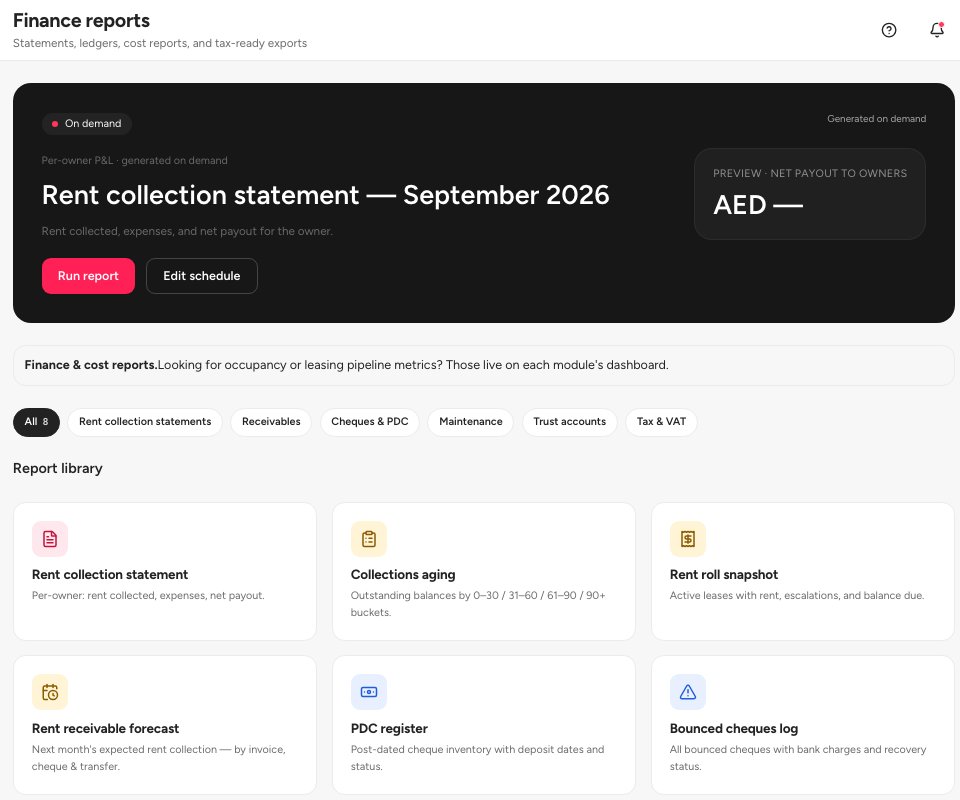
- Run report
- Cheques and PDC filter
- The rent collection statement
The Rent collection statement is the owner’s statement: for one building and one month it shows the rent collected, the expenses and the Net payout 2, a chart of the last six months, the income breakdown and a ledger of every payment. Choose the building and the month above the figures. Run & download 1 creates the PDF, and Open PDF opens it. Recipients 3 shows the owner the statement is meant for.
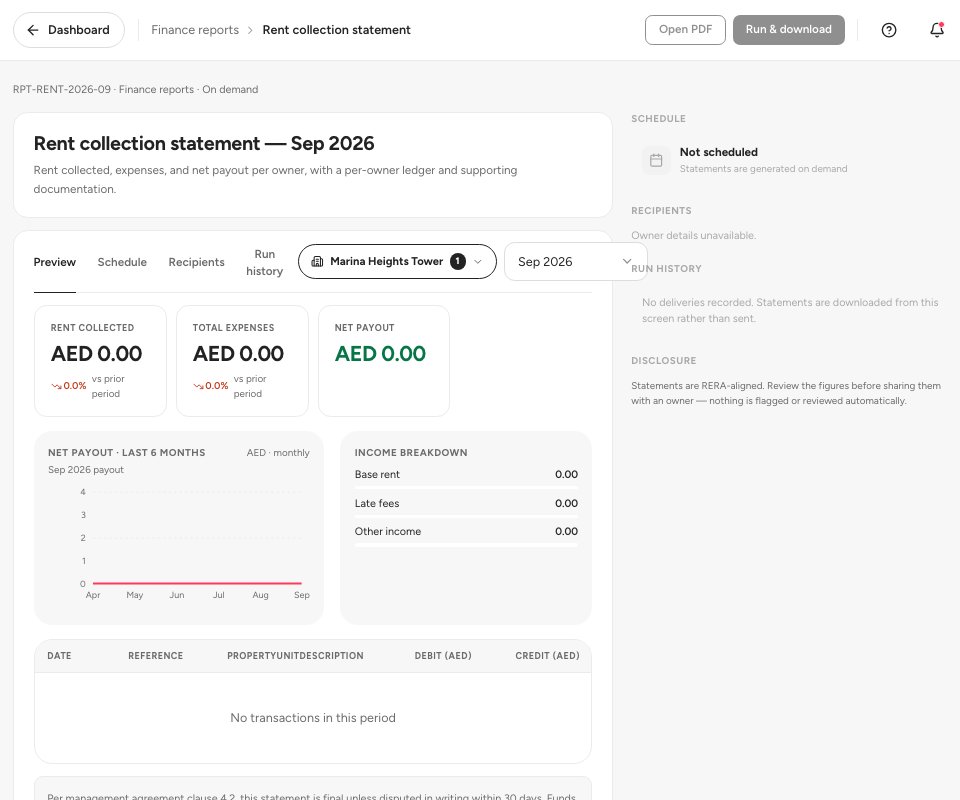
- Run and download
- Net payout
- Recipients
The Rent receivable forecast looks one month ahead. It adds up every draft or sent rent invoice due next month. Expected 2 is the total, Cheques on hand 3 is the part already covered by post-dated cheques you hold, and Not yet received is what still depends on the tenant. The side panels split the forecast by property, bank account and payment mode. Run & download 1 creates the PDF.
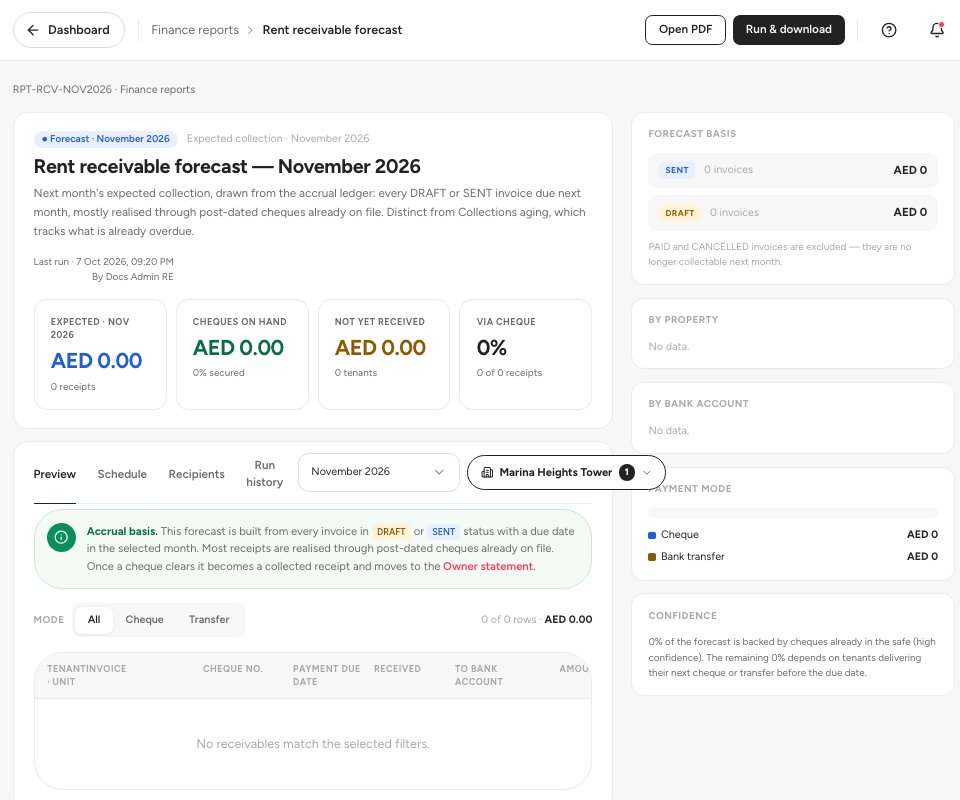
- Run and download
- Expected collection
- Cheques on hand
Important — Ultra BMS does not email the statement for you yet. Schedule says Not scheduled, and Run history records no deliveries: download the PDF and send it to the owner yourself. Review the figures first; nothing is checked automatically.
FAQ
Where do the figures come from?
From the rent payments you recorded and the cheques you cleared. A cheque counts once it is Cleared, so clear your cheques before you run a statement.
Why does a report say Coming soon?
The report is planned but not released. The library lists it so you can see what is coming. Collections aging, Rent roll snapshot, PDC register, Bounced cheques log and Cash flow forecast are in this state today.
Where are occupancy and leasing numbers?
On the dashboards of each module. Finance reports covers statements, receivables, cheques and maintenance costs.
Related guides
Was this helpful?