Log in and your first day
Sign in with your work email, reset a forgotten password, and know what to expect the first time you arrive.
Before you start
- An invitation email from your administrator, or a free-trial email from our team.
Sign in
Open the sign-in address from your invitation email in your web browser.
Type your work email in Work email 1 and your password in Password 2.
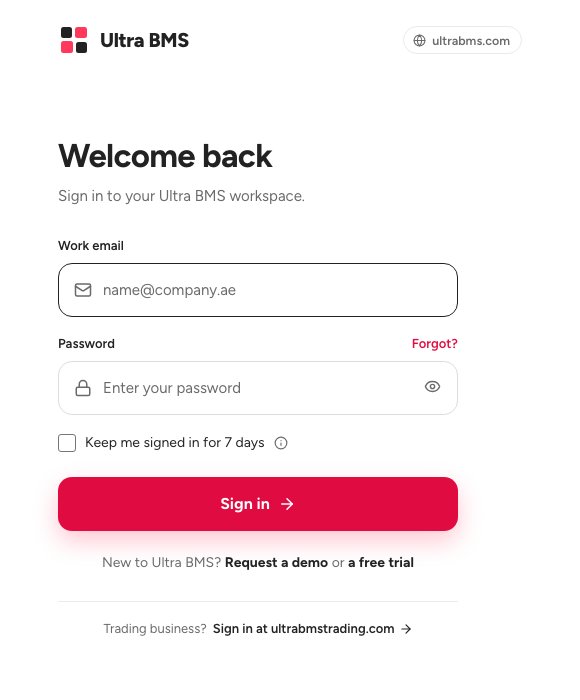
- Work email
- Password
- Sign in
Click Sign in 3.
Tip — If the app asks you to choose a new password the first time you sign in, pick one only you know. You use it from then on.
If you forgot your password
On the sign-in page, click Forgot? next to Password.
Type your work email 1 and click the button to send the reset link 2.
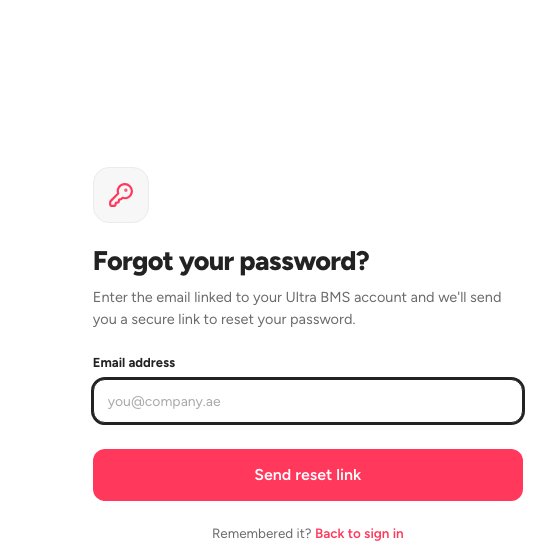
- Your work email
- Send the reset link
Open the email and follow the link to choose a new password.
Your first day
After you sign in you land on your home screen. If your workspace is brand new, an administrator first sees a short setup checklist. Finish its required steps and the full menu opens.
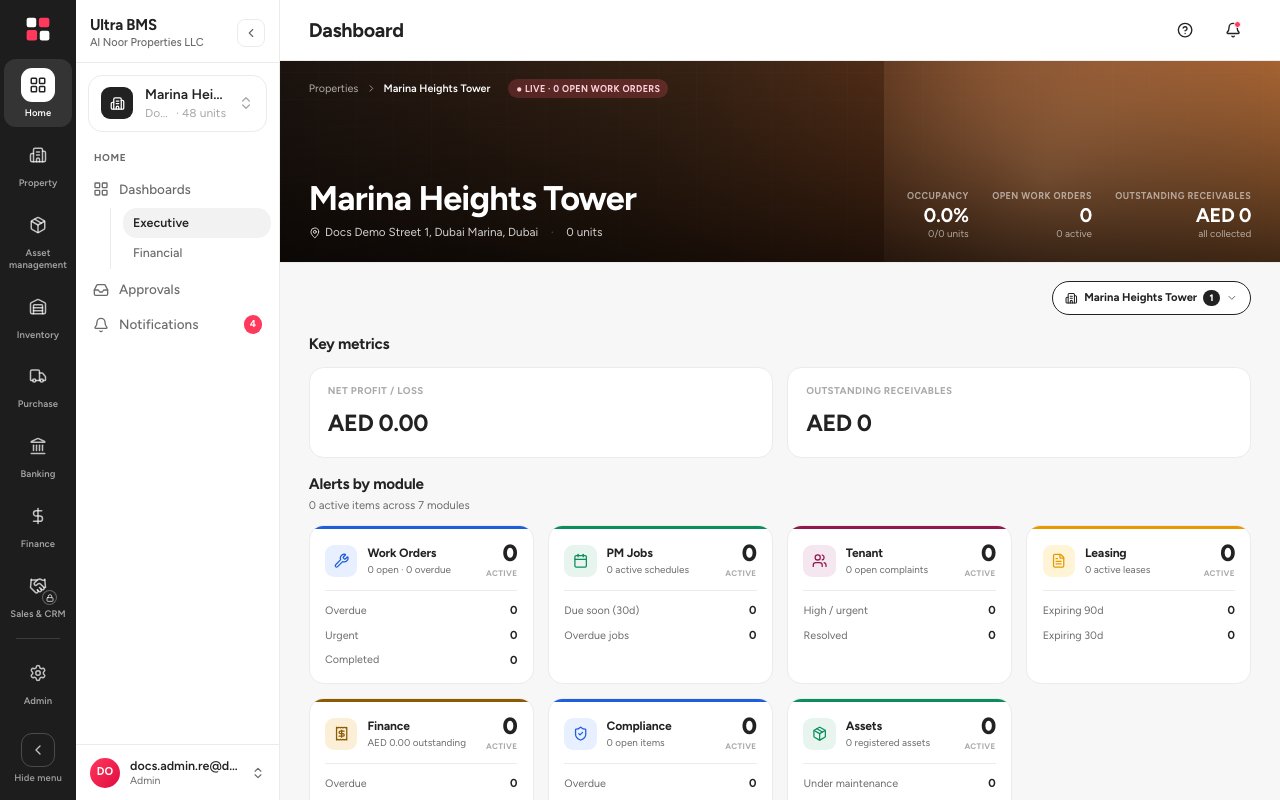
- The left rail: one icon per module
- Your name and role; open it to view your profile or log out
Account statuses
FAQ
Which address do I sign in at?
Use the address in your welcome email. If you open the wrong one, the sign-in page tells you which address to use.
I see a message that my organisation is blocked.
Your organisation is suspended, or its trial has ended. Ask your administrator to contact us.
How do I sign out?
Open your name at the bottom of the menu panel and choose Log out.
Related guides
Was this helpful?