Handle repairs with work orders
Log a repair, hand it to a technician or a vendor, and follow it until it is closed.
In this article
Getting started
A work order is one repair job. It can start from a tenant’s maintenance request, from a complaint, from a preventive schedule, or from you. Open Property › Operations › Work orders to see every job of the building you are working in.
Before you start
- Your role is Admin, Property Manager or Maintenance Supervisor.
- Your technicians and vendors are set up, so you can assign them.
Steps
Open Property › Operations › Work orders. The tabs 2 (All, Unassigned, Assigned, In progress, Scheduled, Completed) count the jobs by status. Each row shows the issue, the unit, who it is assigned to, the priority, the status and how long is left before the response target (SLA). Click a job 3 to open it. To log a new one, click New work order 1.
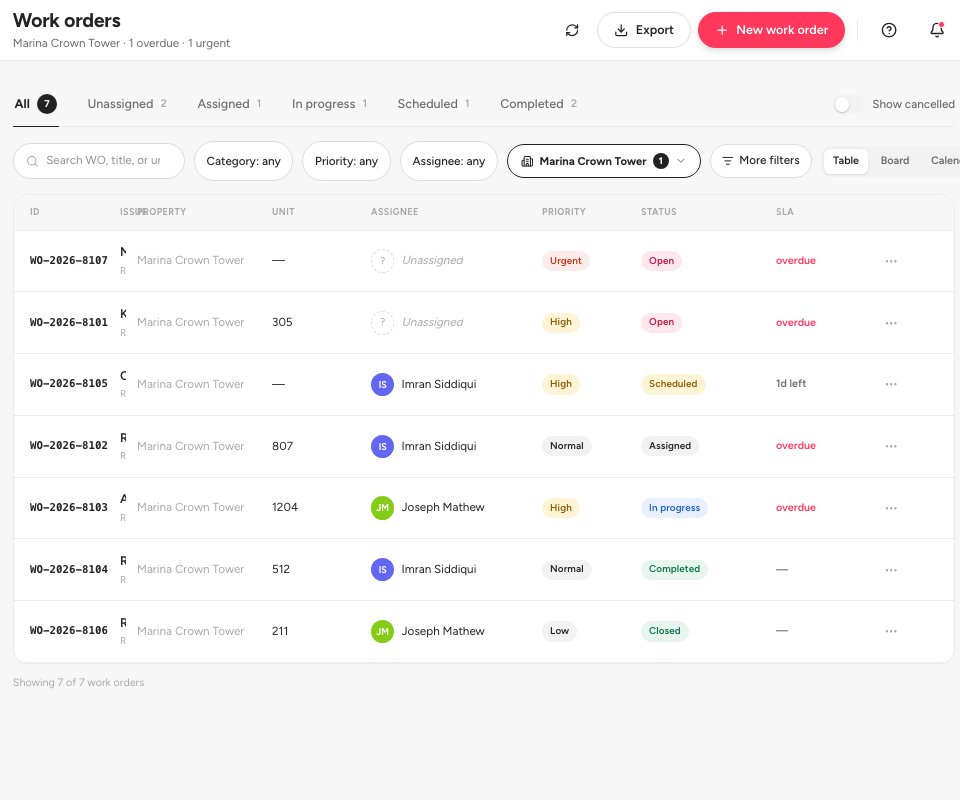
- New work order
- Status tabs
- An urgent job
Prefer cards? Click Board 1 to see the jobs as columns by status, or Calendar to see them by date. Click a card 2 to open the job.
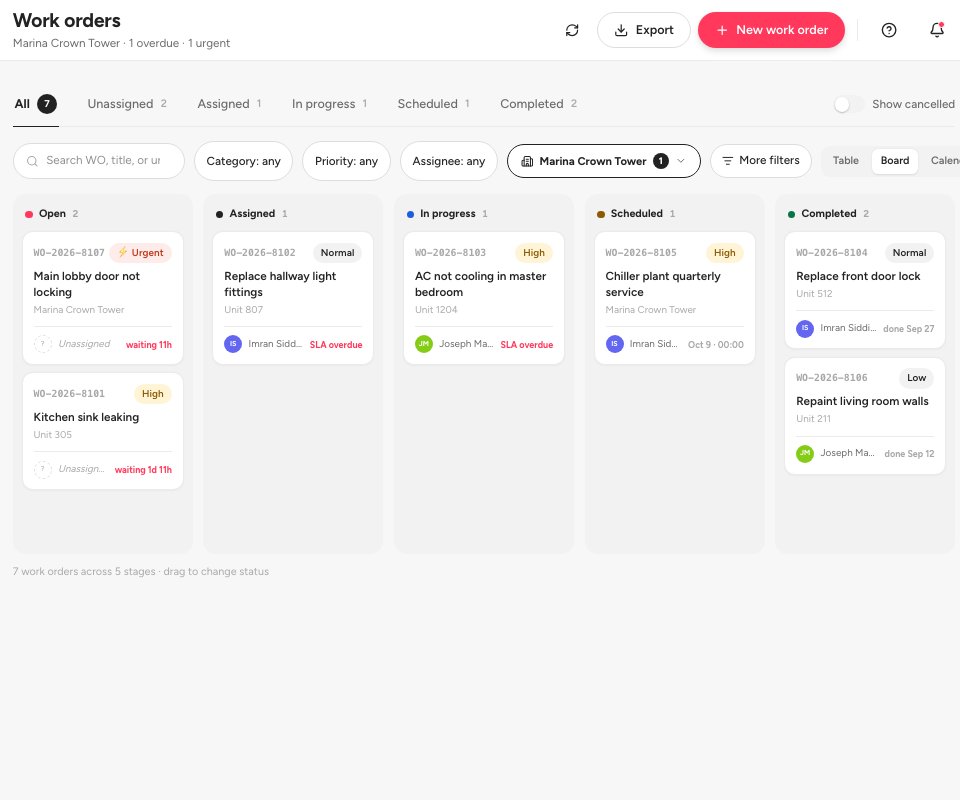
- The Board view
- A job card
Log the job with New work order. Give it a short Title 1, a Category 2 and a Priority (Low, Normal, High or Urgent), and describe the problem in the Description. Choose the Unit / area and, if a tenant raised it, the tenant under Reported by. Link the equipment under Linked assets if it is in your asset register. You can assign it straight away to Internal staff or an External vendor, or leave it for later. Click Create & assign 3.
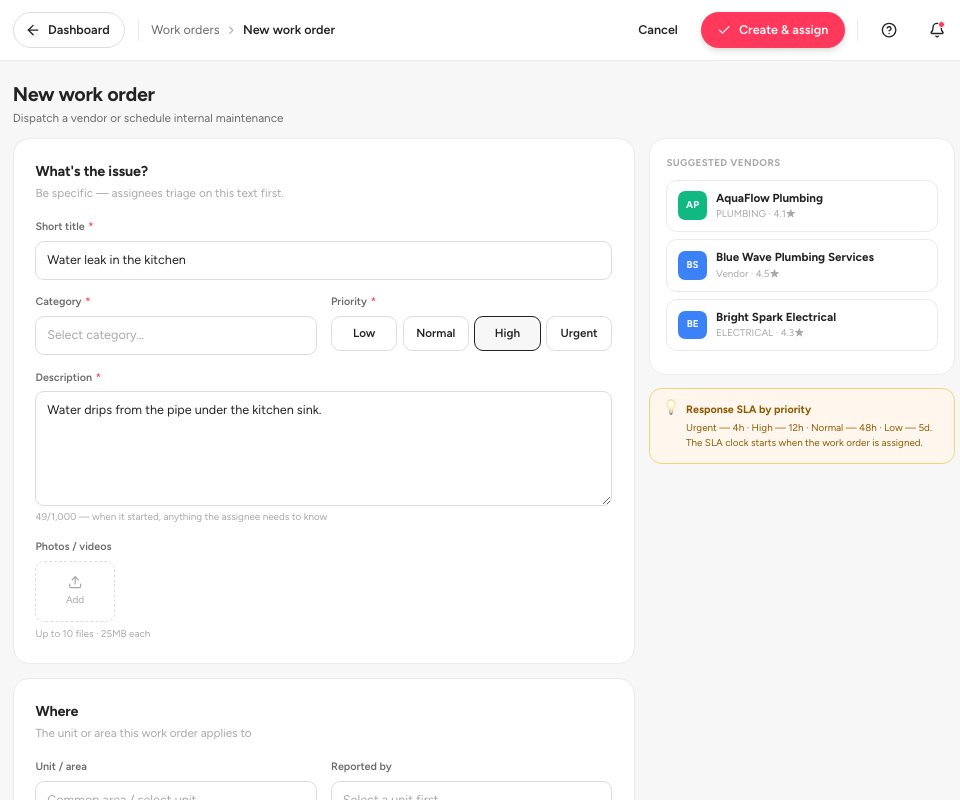
- Title
- Category
- Create & assign
Assign an open job. Open it and click Assign 1. Choose the assignee, add notes for them if you like and confirm. The job becomes Assigned, and the SLA 3 clock for the response target starts when you assign it, so a job that waits 2 shows how long it has been unassigned.
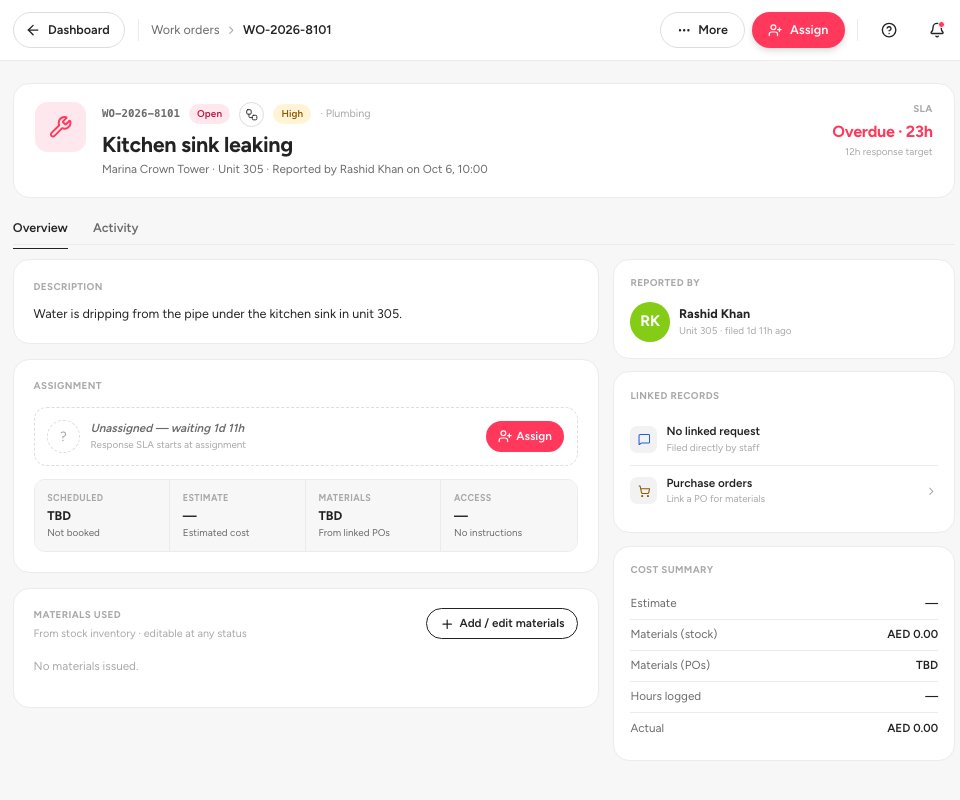
- Assign
- Waiting for an assignee
- SLA
Follow the job to the end. The main button at the top follows the status: Assign, then Start work, then Mark resolved 1. Use Reassign 2 if the person changes. Cost summary 3 adds up the estimate, the stock used and the actual cost. After you review the work, close the job.
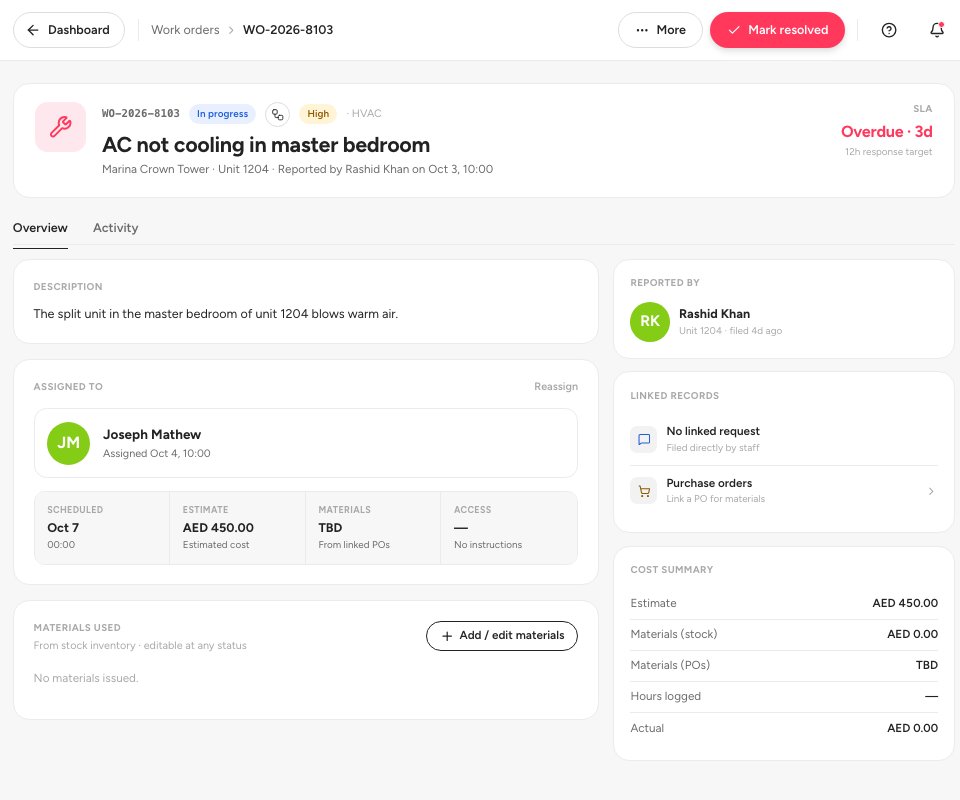
- Mark resolved
- Reassign
- Cost summary
Tip — Use Add / edit materials on the work order to take spare parts out of stock. They are added to the cost of the job.
Statuses
FAQ
How do tenants raise a repair?
They use Submit request in the tenant portal. You see it under Property › Operations › Maintenance requests and turn it into a work order.
What does SLA mean on the list?
The response target for the priority of the job. It shows the time left, or overdue when you missed it.
Can I see all jobs for one piece of equipment?
Yes. Open the asset in Asset management › Assets and check Maintenance history.
Related guides
Was this helpful?