Send an announcement to your tenants
Tell the residents of a building about a water shut-off, a holiday or a new rule, in the app and by email.
In this article
Getting started
Announcements go to the tenants of the building you are working in. Open Admin › Announcements to see what you have sent, what is scheduled and what is still a draft. Tenants read them in the tenant portal, and by email if you chose that channel.
Before you start
- Your role is Admin or Property Manager.
- Your tenants have an email address on their record.
Steps
Open Admin › Announcements. The tiles show how many you sent this month, the delivery rate, what is scheduled and your drafts. Click New announcement 1. If your message looks like a fire drill, a water shut-off or a renewal offer, start from a template instead: click Templates 2. Click a sent announcement 3 to open it.
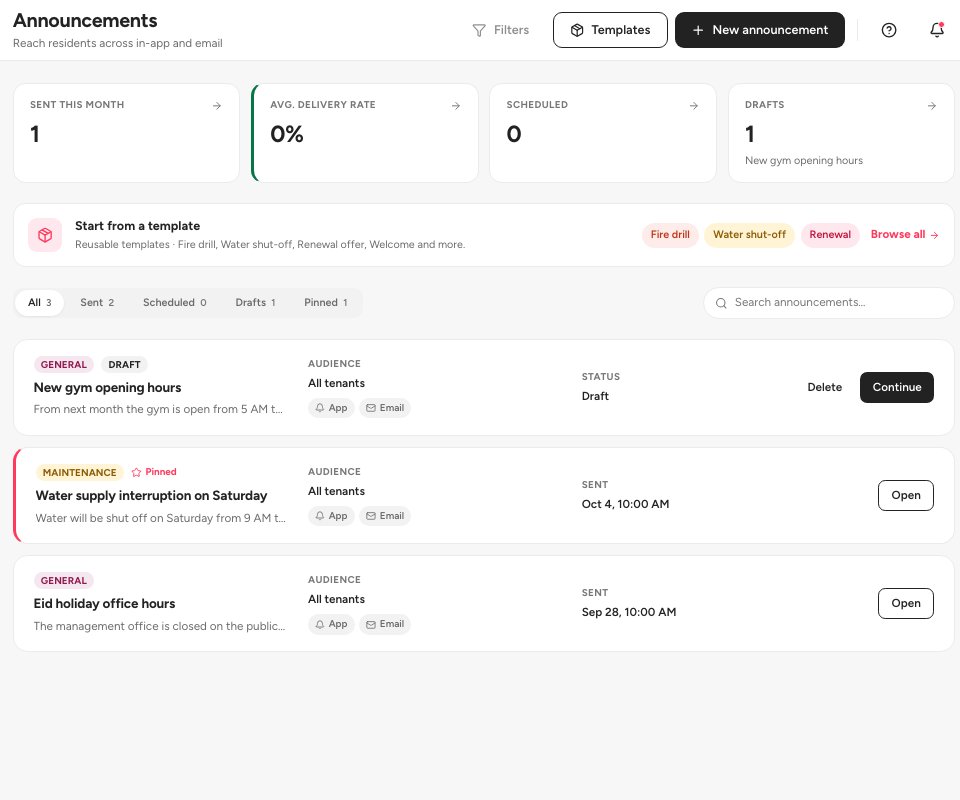
- New announcement
- Templates
- A sent announcement
Write the message (step 1, Content). Choose the Category 1, type the Title 2, and write the Body 3. Keep it short and lead with the action the residents need to take. You can set a separate Email subject and Preheader for the email. The live preview on the right shows how it will look in the app and in an inbox. Click Continue.
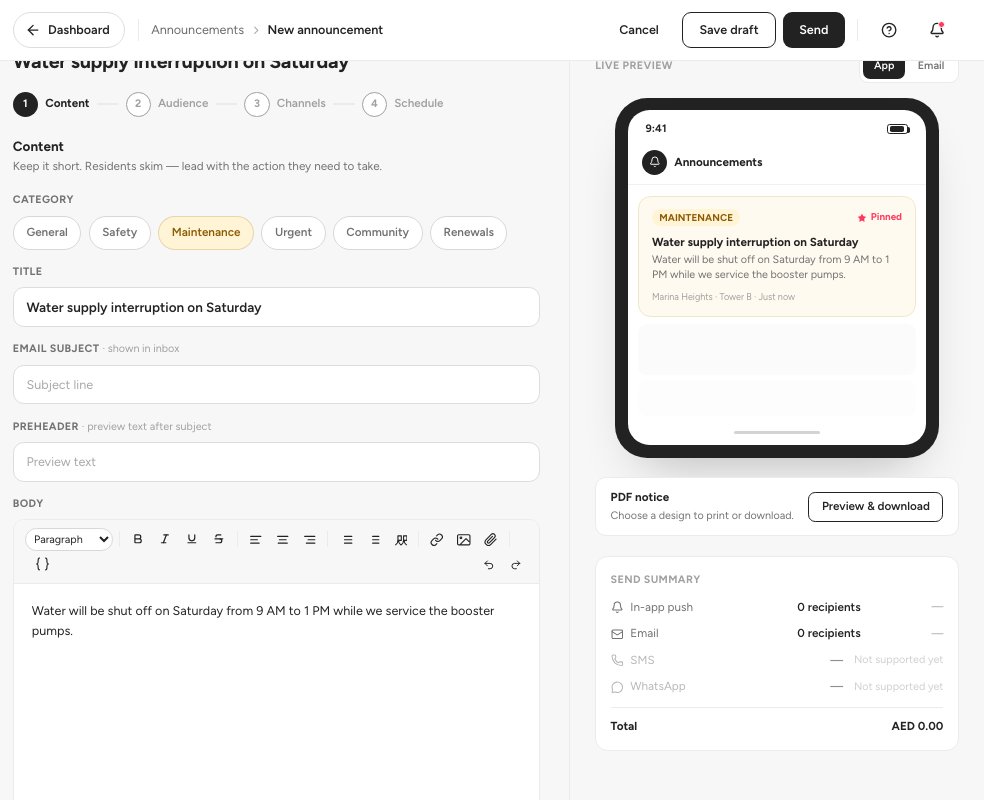
- The category
- The title
- The message body
Choose who receives it (step 2, Audience). All tenants 1 sends it to everyone in the building. Tenant group uses a saved group, and Pick tenants 2 lets you choose individuals. The green box tells you how many tenants will receive it. Click Continue 3.
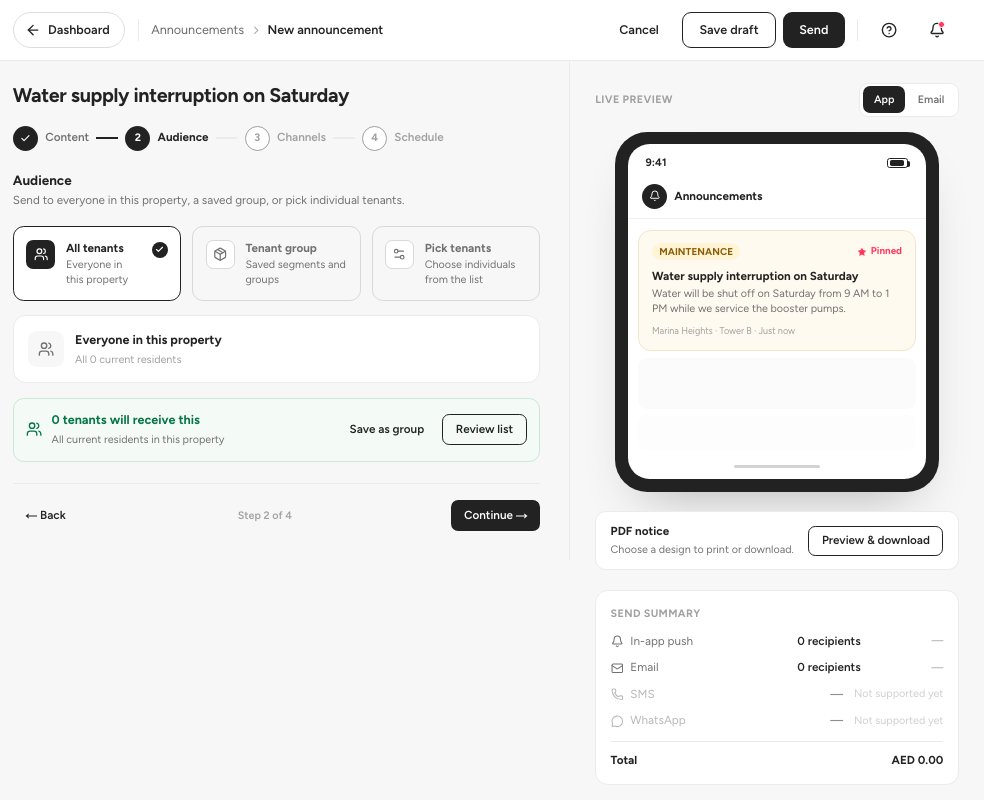
- All tenants
- Pick tenants
- Continue
Choose the channels (step 3): In-app and Email are available; SMS and WhatsApp are not supported yet. In step 4, Schedule, choose Send now, Schedule for a date and time, or Recurring. Then click Review & send.
Tip — Click Save draft at any point and finish later. Drafts stay on the list with a Continue button.
Statuses
FAQ
Can I send an SMS or a WhatsApp message?
Not yet. The channels step marks them Not supported yet. Use In-app and Email.
Which categories can I choose?
General, Safety, Maintenance, Urgent, Community and Renewals.
Where do tenants read announcements?
In the tenant portal under Announcements. See the tenant portal guide.
Related guides
Was this helpful?