Chart of accounts
The list of ledger accounts your documents post to. See balances, add an account of your own, and know which accounts the system manages for you.
In this article
Before you start
- A finance role, such as Admin or Finance Manager.
Read the chart
Open Finance › Chart of accounts. The period picker 1 sets the dates the balances cover.
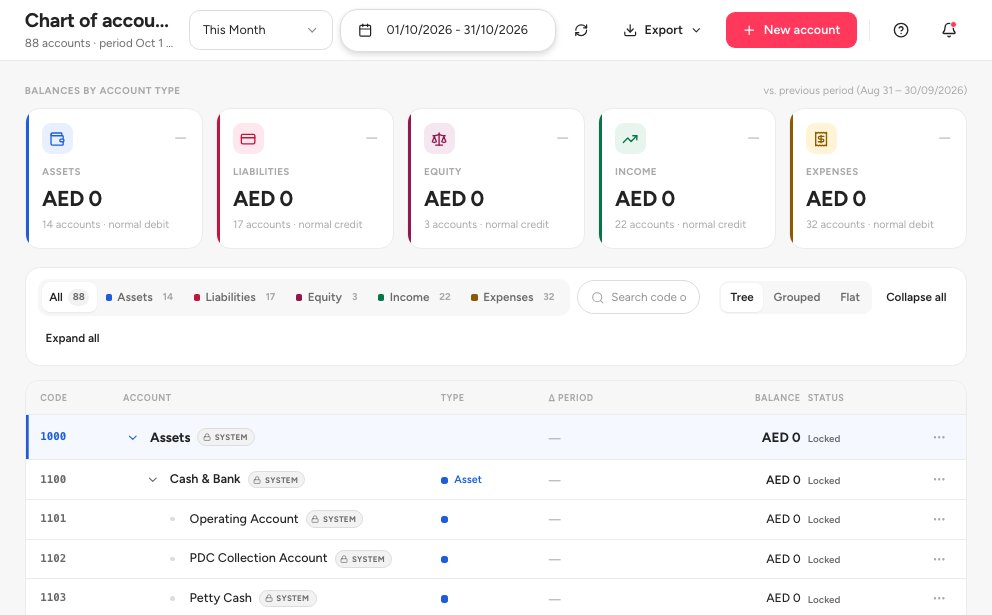
- Period for the balances
- Export as PDF or Excel
- New account
- Locked marks an account the system manages
Use Export 2 to download the chart as PDF or Excel.
An account marked Locked 4 is a system account. Documents post to it automatically and you cannot edit it.
Add an account
Click New account 3 in the page header.
Choose the Account type 1. The Account code 2 fills with the next available code.
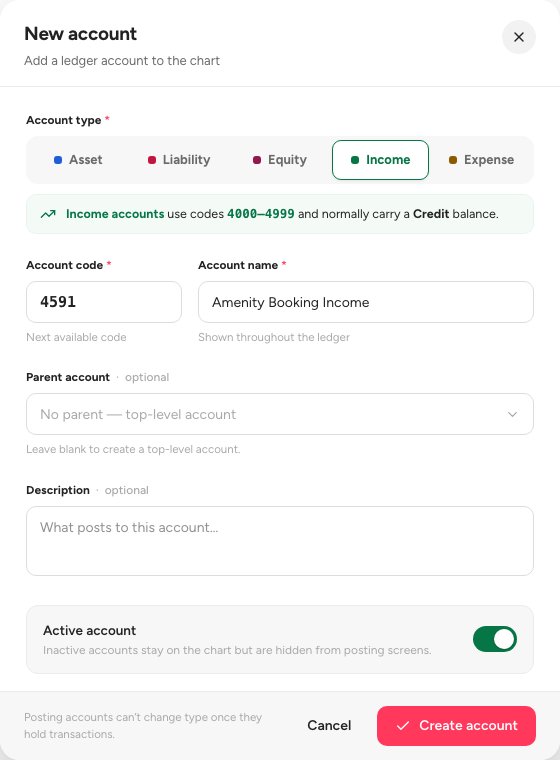
- Account type
- Account code
- Account name
Type the Account name 3. Choose a Parent account, or leave it blank for a top-level account. Add a Description if it helps.
Leave Active account on and save.
Open an account
Search for an account, open the menu at the end of its row, and choose Open account page. The strip under its balance shows the Parent, the Normal balance and the Posting source 1.
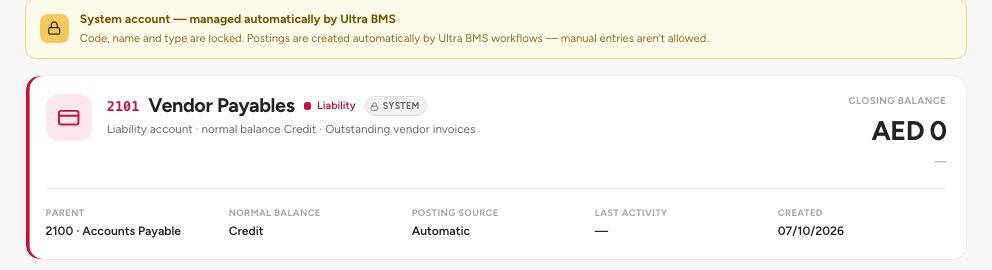
- Posting source: Automatic or Manual
- Closing balance
Automatic means the system posts to it. Manual means an account you created. Choose View ledger in the same menu, or click the row, to read the postings to the account.
Important — Never reuse a code for a different meaning. If an account is no longer needed, make it inactive instead, so past postings stay readable.
FAQ
Why can I not edit an account?
It is a system account, shown as Locked. The system manages these automatically.
Can I delete an account?
Not one that has postings, and never a system account. Make it inactive instead, so past postings stay readable.
Related guides
Was this helpful?